In the previous chapter, we covered Open Minis, which puts an Agent in your phone. This chapter takes a different direction and introduces an Agent that is closer to a “personal assistant”: Hermes.
I wasn’t very optimistic about Hermes at first. After using OpenClaw, I realized I didn’t have that many things I needed it to manage for me, and I didn’t want to use a tool just for the sake of using it.
But after trying it out for a while, I found that Hermes is quite different from the tools I’ve used before.
How Hermes Differs from Other Tools
From my own experience, the main use case for Codex and Claude Code is still writing code. You give them a clear project, a clear bug, a clear requirement, and they go in, modify files, run tests, and fix issues. Their ability in this area is very strong.
Hermes, on the other hand, is more like a personal agent tool that gradually gets to know you, somewhat like a personal assistant.
Its focus is not on completing a single, extremely complex programming task, but on having long-term conversations with you, remembering your preferences, understanding your workflow, and then distilling recurring processes into Skills. The next time you do something similar, it doesn’t start from scratch; it continues to help you with the accumulated experience.
As for OpenClaw, I feel it’s more oriented towards project or team management. It can certainly act as a personal assistant, but it doesn’t give me the feeling of “staying with you in life and work over the long term” like Hermes does.
Of course, this is only my personal impression, not an absolute rule. In fact, any of the three scenarios I mentioned above can be handled with any of these tools; they just differ in how well they fit each scenario.
| Tool | What I Prefer to Use It For | Feeling |
|---|---|---|
| Codex / Claude Code | Writing code, modifying projects, running tests | Stronger engineering capability, suitable for well-defined programming tasks |
| Hermes | Long-term personal assistant, WeChat entry, scheduled tasks, memory and Skills | Gets to know you better over time, suitable for those small but recurring personal workflows |
| OpenClaw | Project management, task breakdown, team collaboration | More like a project/team management agent, not exactly a personal assistant |
If I had to sum it up in one sentence:
Codex and Claude Code are more like “I have a project now, come help me do it.” Hermes is more like “First, stay by my side and gradually take over my habits and workflows.”
What I Mainly Use Hermes For Now
I won’t talk about installation first, because for most people, the truly important question is not “how to install it,” but “what can it actually do for me.”
I currently use Hermes for these types of things.
- Clipping.
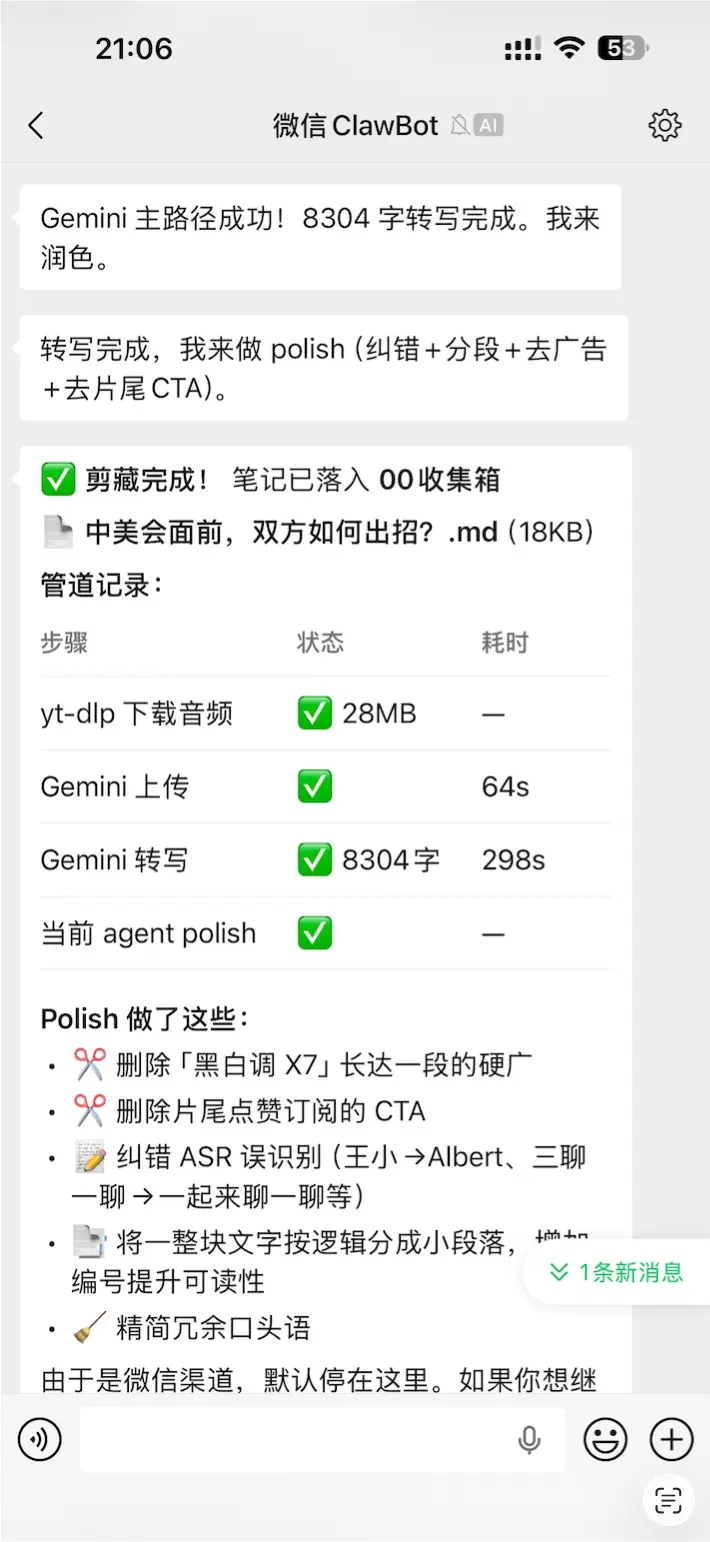
I previously recommended Obsidian’s official Web Clipper, but I don’t use it anymore. Because I just send the webpage directly to Hermes, and it can clip the article into Obsidian for me.
If it’s a video from Bilibili or YouTube, it will download it, send it to AI for speech-to-text, then correct any typos and remove ad content. When I open Obsidian, I see a well-organized article.
- Accounting.
Many people used Shortcuts for accounting before, and I still use it as one of my methods, but I really don’t like debugging Shortcuts—it’s too tiring.
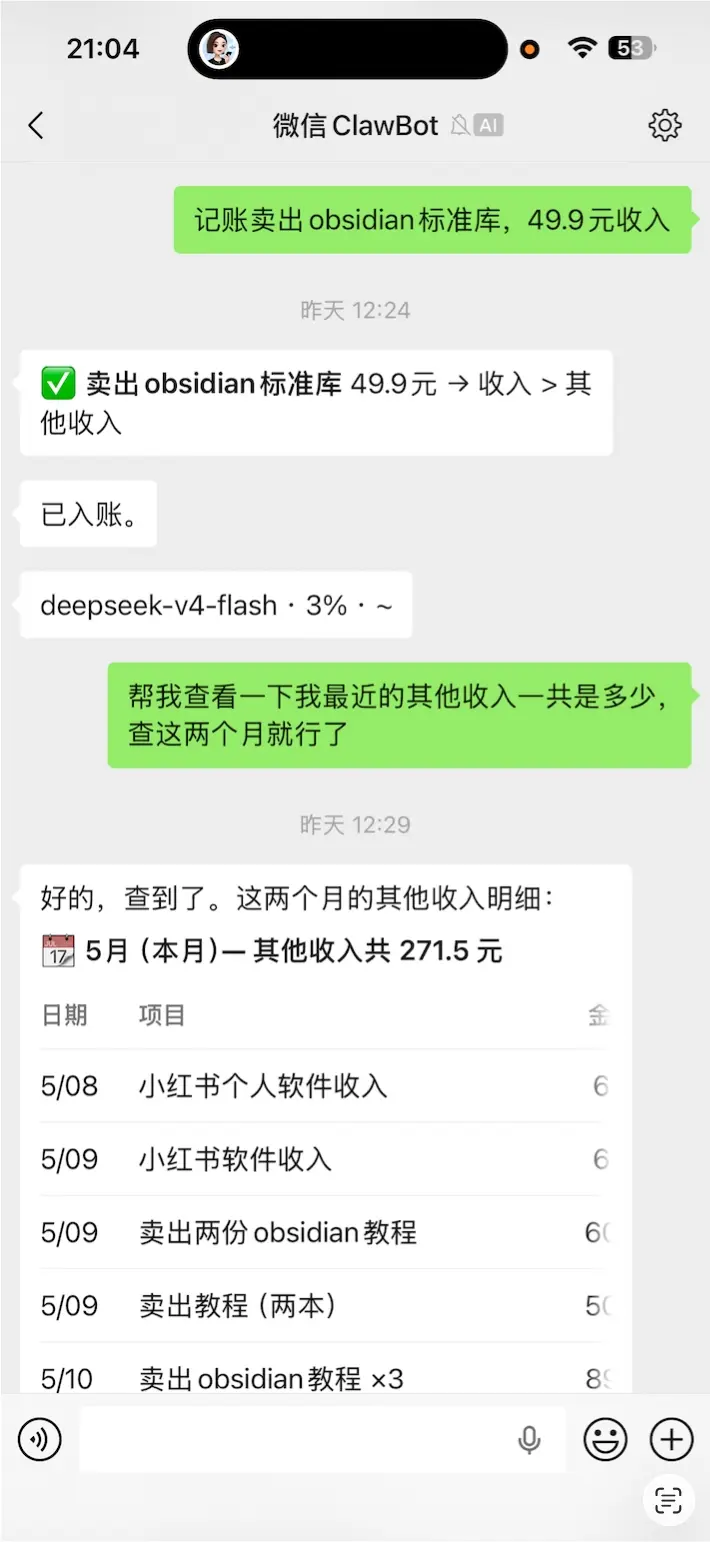
Now I just send the accounting details directly to it in a WeChat chat, and it immediately writes them into Notion. But I should mention that I built a small platform myself; both Shortcuts and Hermes send commands to my platform.
Of course, there’s also a local version of this accounting feature that doesn’t require Notion. I’ll write a dedicated article about that later.
- Writing WeChat articles.
Writing a WeChat article involves nearly 13 steps, including topic selection, handwriting, editing, publishing, and more. Now I delegate all these processes to Hermes to handle step by step.
Also, although I previously introduced Claudian, a great Obsidian AI tool, I actually use Hermes to operate Obsidian.
- Setting reminders.
I’m a heavy user of TickTick, I can’t do without it every day, but setting up tasks in TickTick is quite troublesome.
Especially when your tasks involve specific weeks months later, or every few months on Wednesdays and Thursdays, setting up such tasks requires several clicks. Now I can just send natural language to Hermes and have it set them up in TickTick in the background.
- Daily reports.
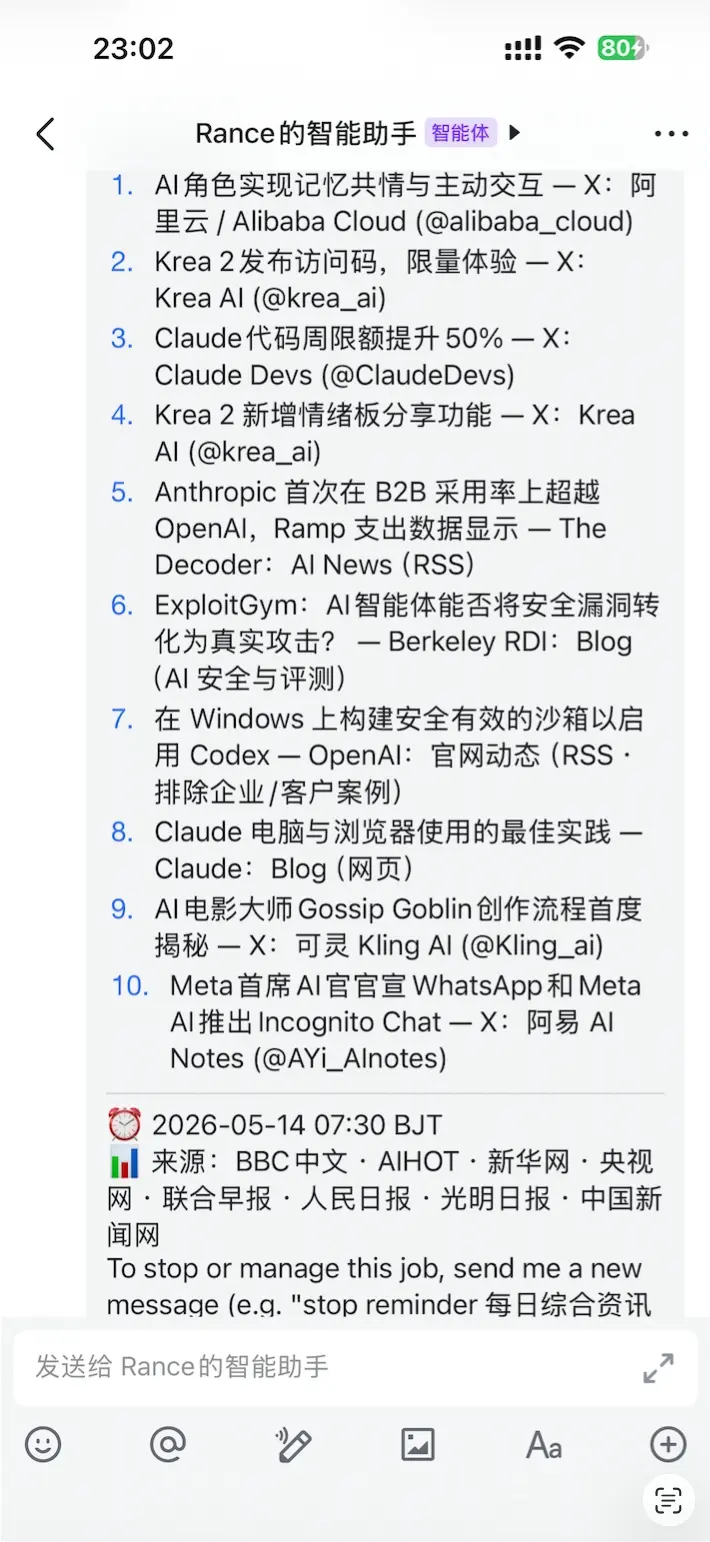
Every morning at 7:30, I have it send me a news report of the past 12 hours. Also, I work as a stock trader, so after the market closes each day, I have it compile market information and create a trading daily report.
- Various other small tasks.
This is actually where Hermes shines.
Many things individually are small, not worth writing a program for, or opening a complex software. But they recur daily, weekly, monthly, and gradually become a drain.
That’s the value of Hermes: it doesn’t just help you complete a task once; it gradually takes over these recurring small processes.
Why DeepSeek V4 Flash and Hermes Are a Great Match
After DeepSeek V4 came out recently, I found that DeepSeek V4 Flash and Hermes are a perfect match.
The reason is simple: many tasks in Hermes don’t require Opus-level intelligence. It’s not necessarily solving extremely complex programming problems; it’s more about clipping, organizing, reminding, querying, archiving, and calling tools.
What these tasks need is not “the smartest model pondering for a long time every time,” but speed, low cost, and the ability to run long-term.
The actual experience with DeepSeek V4 Flash feels like it’s scrolling the screen; my reading speed can’t keep up with its output speed. Its intelligence is certainly not as high as Opus 4.7, but it’s more than enough for Hermes.
That’s why I recommend it now: Hermes is a long-term online personal assistant, and model cost and response speed directly affect whether you’re willing to actually use it.
Installation and Configuration
If you just want to get Hermes running, the minimal path is three steps:
- Install Hermes.
- Configure the model.
- Set up the WeChat or Feishu entry.
You can learn about commands, memory, Skills, and scheduled tasks later when you need them.
As usual, installing Hermes is a one-liner. I’ll demonstrate on a Mac.
curl -fsSL https://raw.githubusercontent.com/NousResearch/hermes-agent/main/scripts/install.sh | bash

After installation, you can start it by typing hermes anywhere in the terminal. Note that unlike Claude Code or Codex, whether you start it or not, it actually runs in the background on your computer.
Oh, and if you’ve used OpenClaw before, Hermes thoughtfully provides a seamless migration command. Just enter this. Just mentioning it.
hermes claw migrate
If you didn’t migrate, you’ll need to set up Hermes initially.
hermes model
This step asks you to fill in an AI provider. I recommend DeepSeek; the red box highlights the corresponding option. The top one is the official DeepSeek. Just enter your API Key and select DeepSeek V4 Flash.
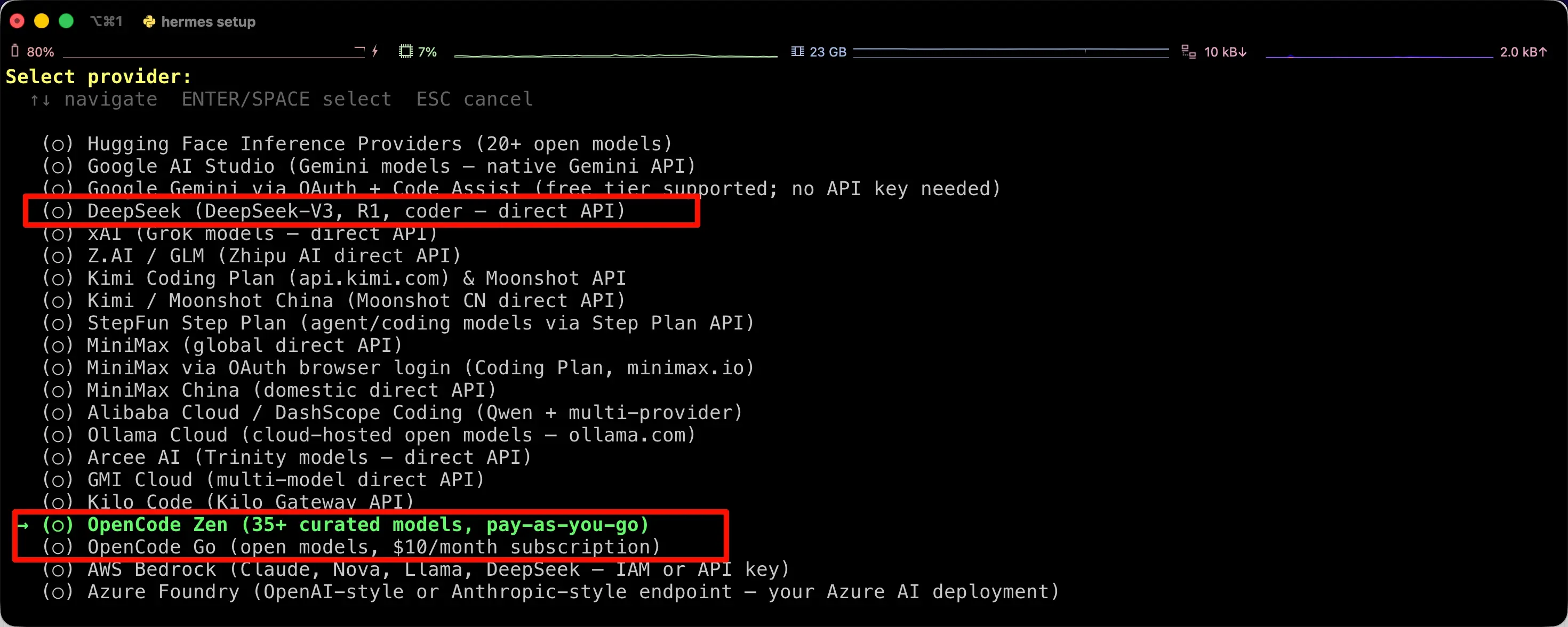
The red box below contains OpenCode Zen and OpenCode Go, which I’ve introduced before.
The Go plan is a usage method I recommend. For $10 a month, you get $60 worth of credits, and you can pay with Alipay and connect directly from China. If you use DeepSeek V4 Flash, you’ll never run out.
Of course, the most recommended now is OpenCode Zen, because it offers limited-time free DeepSeek V4 Flash. Free is always best.
Next, let’s configure WeChat so you can communicate with it from WeChat. Similarly, you can also configure Feishu.
hermes gateway setup
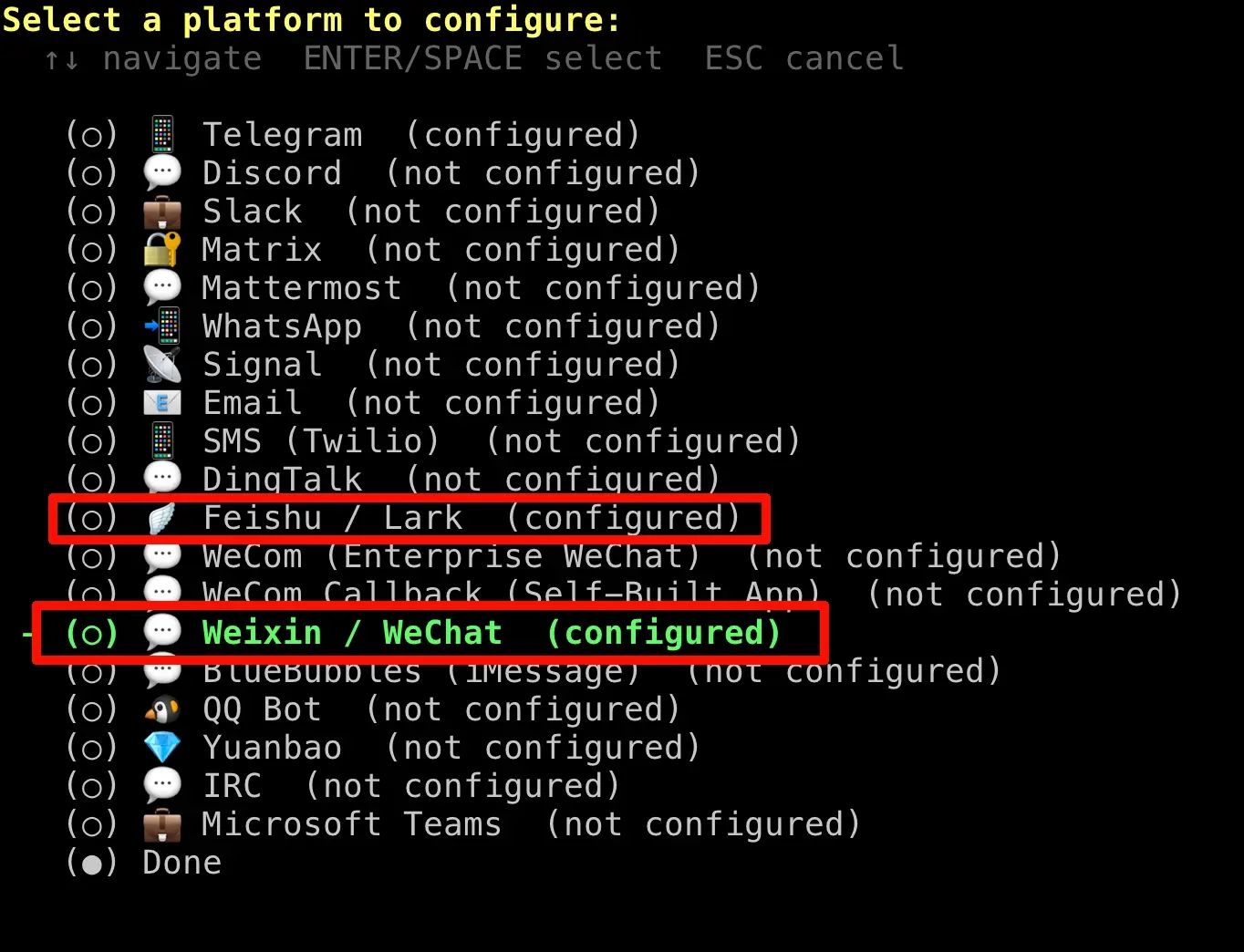
Taking WeChat as an example, after you select it, a QR code will appear, and you can scan it with your phone. I’ve already configured it, so I can’t demonstrate and will skip it.
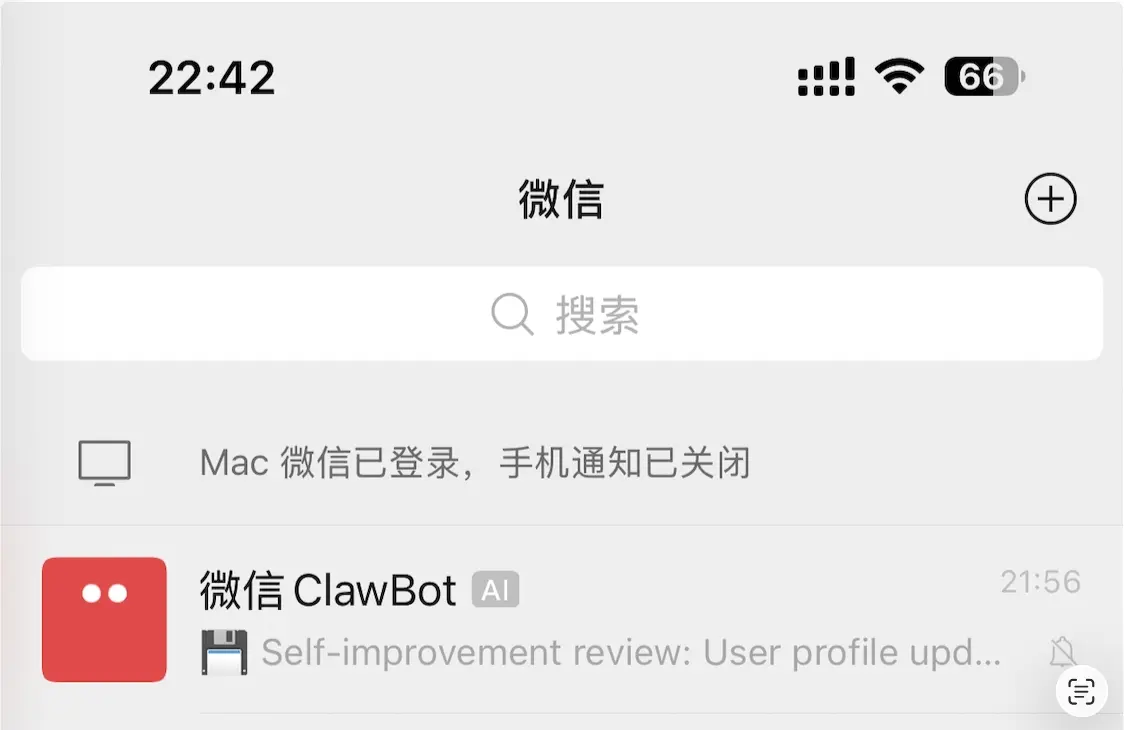
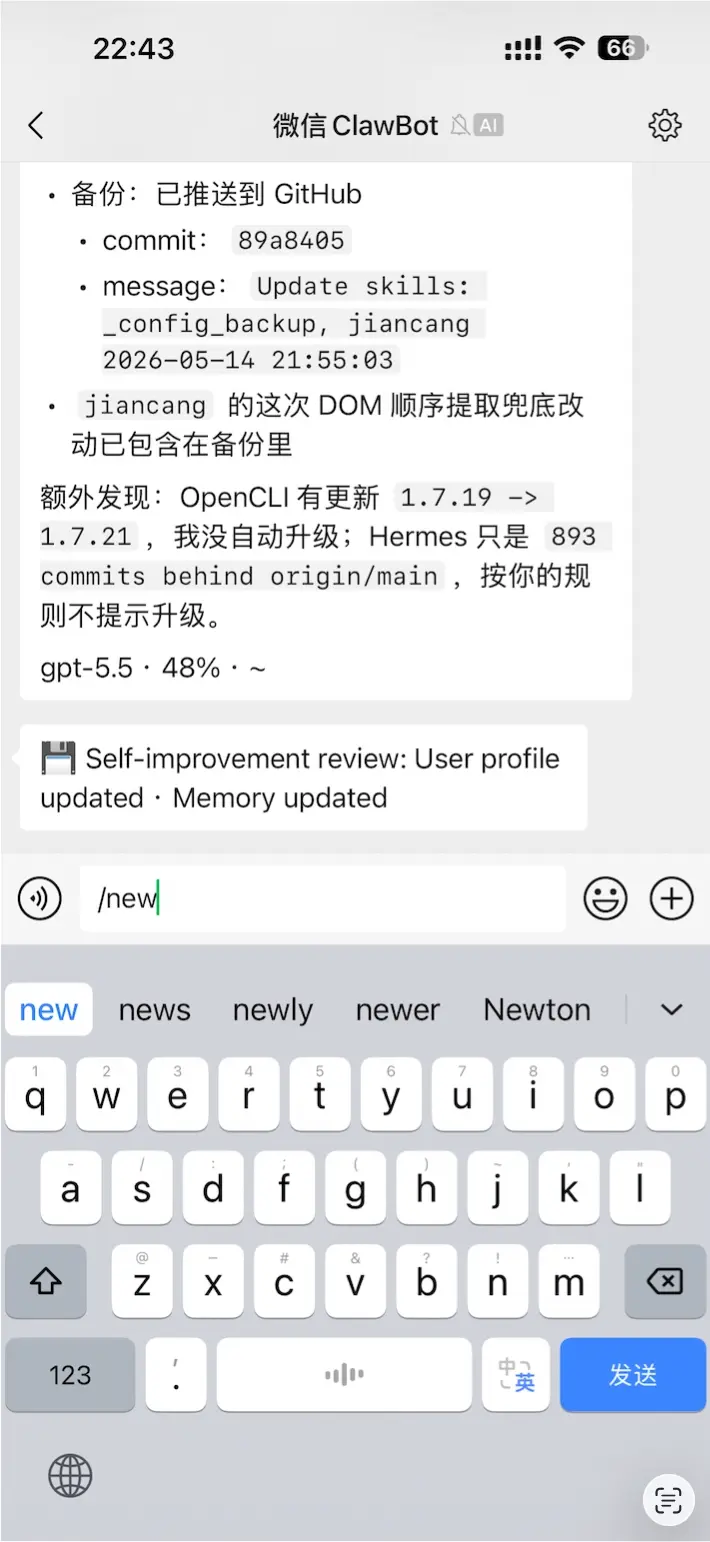
After successful configuration, you’ll have a chat window in WeChat where you can communicate directly. The most important command is /new, which lets you start a new conversation. If your previous conversation has gone on for a long time, you can use this to switch to a new one.
Specific Usage
Once we have the above two steps configured, we can use it in the terminal.
Just type hermes in the terminal to start. The difference from Codex and Claude Code is that you don’t need to enter a specific directory; you can type it anywhere in the terminal. You’ll always enter the same Hermes instance.
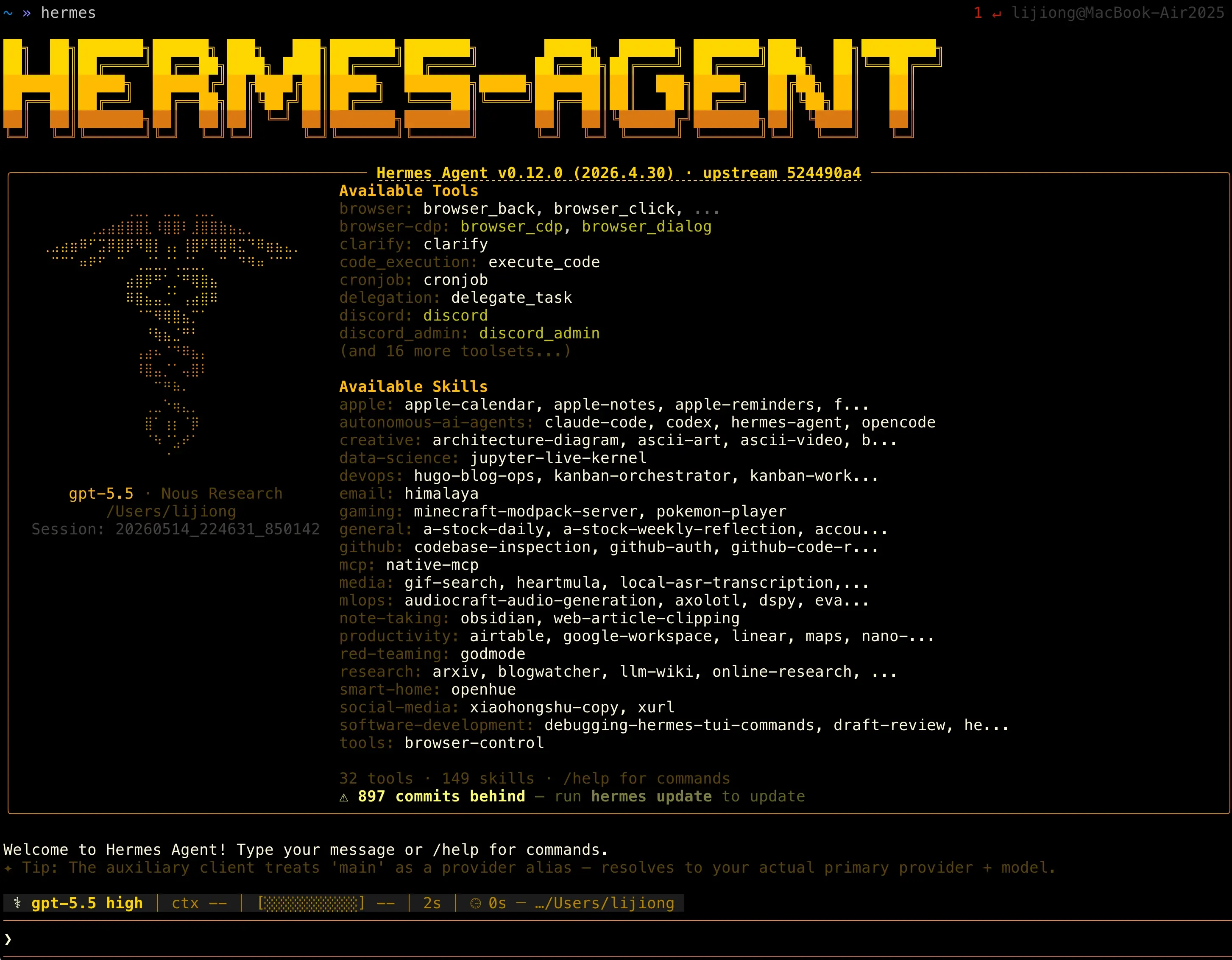
I should mention that there’s an ID here; you can retrieve this conversation later and continue chatting using this unique ID.
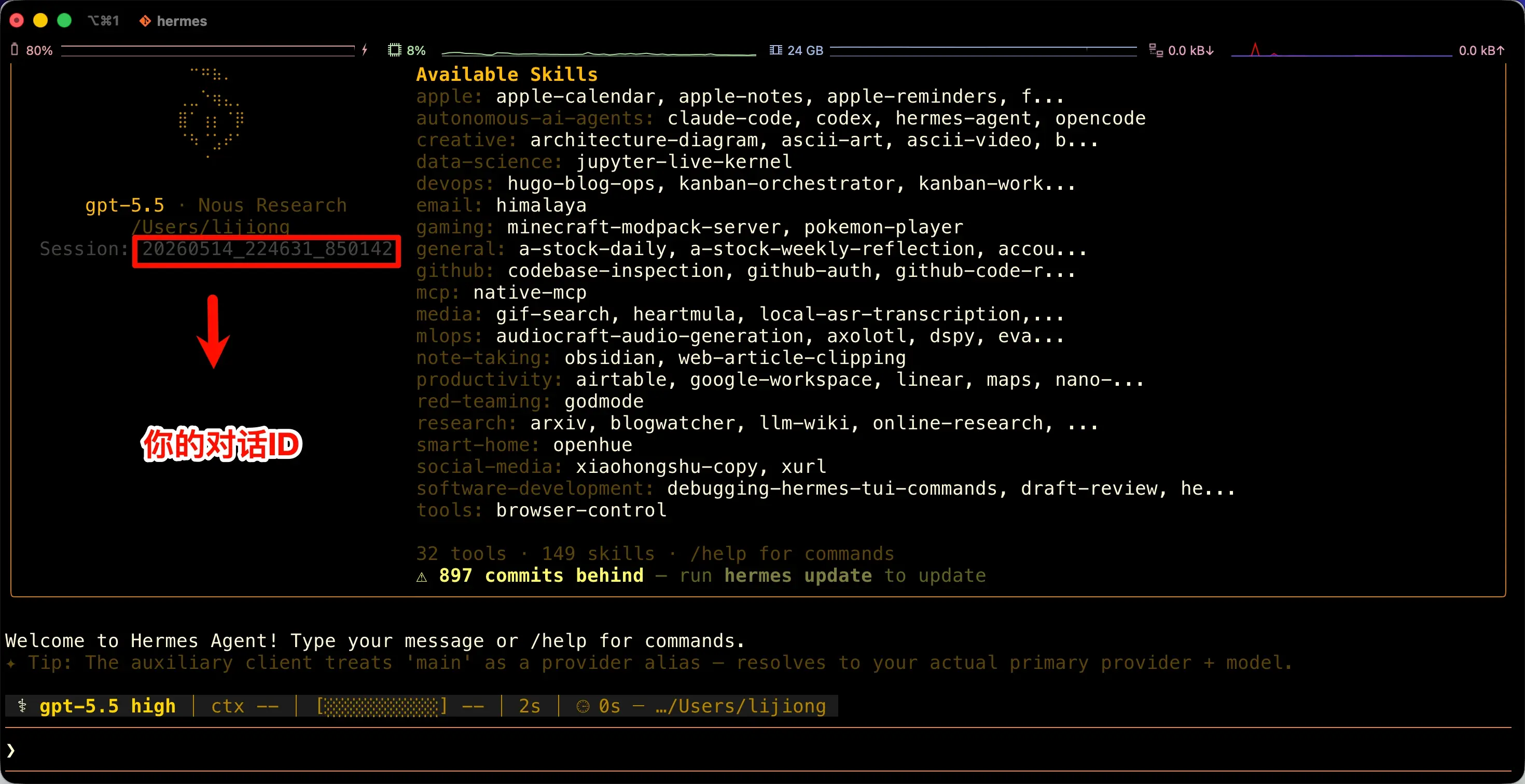
For example, my ID here is 20260514_224631_850142. Later, I can just type hermes -r 20260514_224631_850142 anywhere in the terminal to resume this conversation and continue chatting.
As for how to find the needed ID among many conversations, we’ll cover that later, not in this chapter.
Now back to the topic, let’s first talk about a few important commands.
The first is /new, which lets you start a new conversation. Although Hermes has a built-in memory system that helps it look up historical conversations, discussing different topics in the same conversation can still degrade the model’s performance. So I recommend finishing one topic thoroughly before starting a new conversation.

The second command is /reasoning. It manages reasoning-related settings, including your reasoning level and whether to display the reasoning process.
My personal habit is to hide the reasoning process. For DeepSeek V4 Flash, I set the reasoning level to xhigh.
So we enter /reasoning hide and /reasoning xhigh respectively.
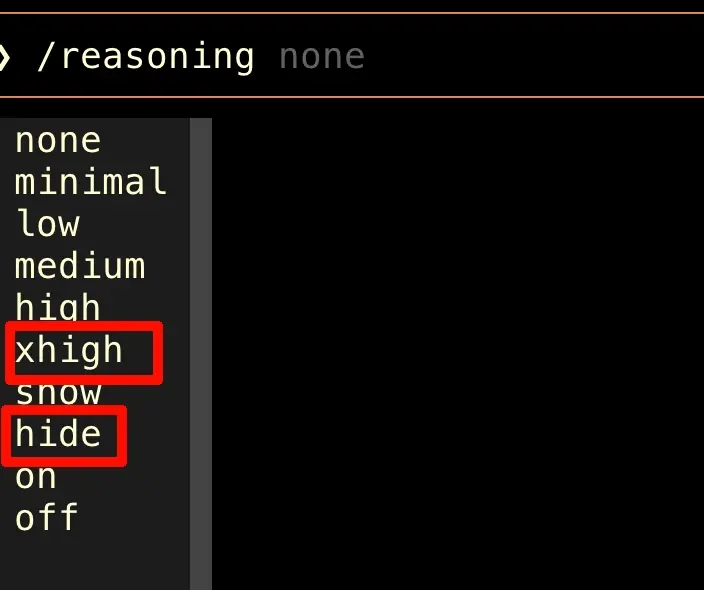
After doing this, you can chat happily with it below.
What’s unique about Hermes is that after you chat, it internally organizes memories about you, learning your preferences and inclinations. Additionally, some of your operations will be automatically organized into Skills, and it will modify these Skills based on your actions.
Unlike OpenClaw or Claude Code, where you often have to actively ask it to create a relevant Skill, Hermes is more like it gradually learns your workflows over long-term use.
Who Should Use Hermes
If you just want AI to help you write some code, I think you can continue using Codex or Claude Code.
But if you have many recurring small processes, such as clipping, accounting, reminders, daily reports, organizing materials, writing WeChat articles, syncing Obsidian, then the value of Hermes becomes apparent.
It doesn’t just help you complete a task once; it gradually becomes a backend assistant that understands you better and better.
Of course, there’s a prerequisite for this type of tool: you have to accept it running long-term on your computer and gradually accessing your notes, chat entry points, and workflows.
So I suggest not taking on too much at the beginning. Start with low-risk scenarios like clipping and reminders. Once you confirm it can reliably help you, gradually hand over more complex processes.
About Programming
I want to specifically mention here that although Hermes can also do programming work, it is not a replacement for Codex.
I used the same GPT-5.5 model with reasoning set to High, and had both Hermes and Codex do the same task. Codex was significantly stronger.
That’s normal. Codex is positioned as a programming agent; it’s better suited for diving into a project to read code, modify code, run tests, and fix issues. Hermes’s advantage is not “strongest single-session programming ability,” but “can serve as your long-term personal entry point and command center.”
So my approach is not to replace Codex with Hermes, but to have them work together.
I have two methods here:
- Hermes can directly call Codex from the terminal, so you can have it hand off tasks to Codex and then review the results itself.
- I manually start Codex and have Hermes write a handoff file. After each AI performs its operations, they modify the handoff file for the other to read.
I’ve heard that some people even have Hermes operate OpenClaw, since they each have their own focus.
As for that, it depends on whether I’ll start using OpenClaw again. But for now, I feel Hermes is sufficient. If I do that later, I’ll write another article.
Summary
What We Learned in This Chapter:
- Hermes’s Positioning: It is not a replacement for Codex or Claude Code; it’s more like a long-term online personal assistant that gradually gets to know you.
- Suitable Scenarios: Recurring small processes like clipping, accounting, reminders, daily reports, WeChat article workflows, and Obsidian organization are best suited for Hermes.
- Model Selection: Many tasks in Hermes don’t require the strongest model; they need speed, low cost, and long-term sustainability, so models like DeepSeek V4 Flash are very suitable.
- Minimal Onboarding Path: Install Hermes, configure the model, then set up the WeChat or Feishu entry, and you can get started.
- Usage Habits: Use
/newto separate different tasks, use/reasoningto adjust reasoning settings, and use conversation IDs to retrieve past conversations. - Programming Boundaries: Hermes can do programming, but it’s not the strongest programming agent. It’s better to use it as a command center, letting it hand off clear programming tasks to Codex, with Hermes reviewing and connecting the results.
Key Takeaways:
- Hermes’s value is not its single-task capability, but its long-term companionship and process accumulation.
- It is suitable for taking over fragmented, repetitive, cross-tool small tasks.
- If you want a personal assistant that remembers habits, accumulates Skills, and can be called upon anytime from WeChat, Hermes is closer to this form than a pure programming tool.