In previous chapters, we learned how to get an API Key and understood the basic concepts of APIs. But you might be thinking: What’s the use of an API Key if I can’t code?
The good news is: You don’t need to know how to code!
The Immersive Translate introduced in this chapter is a ready-made tool built by others. All you need to do is:
- Download and install
- Enter your API Key
- Start using it
That’s it.
Think of it like this:
- Your API Key is your “membership card”
- These tools are the “amusement park” already built
- You just take your card and go have fun
Later in this book, we’ll go more advanced — Chapter 12 teaches you how to set up an API relay, Chapter 13 installs Claude Code on your computer. In this chapter, we’ll first learn to use these ready-made tools and experience the power of APIs.
Immersive Translate
What is it?
Immersive Translate = the most powerful web translation plugin
Imagine:
- You’re watching a YouTube video, and subtitles are automatically translated into Chinese
- You’re reading English news, and the page shows bilingual text
- You’re reading a PDF paper, and hovering over text gives you a translation
That’s what Immersive Translate can do.
Why use an API?
Immersive Translate comes with some free translation services (Google Translate, Microsoft Translator, etc.), but:
- The free version has usage limits
- Translation quality is average
- Professional terminology may be inaccurate
After connecting to an AI API:
- Translate with GPT-5.2, Claude, Gemini — quality far surpasses traditional translation
- Understands context, translations are more natural
- Professional terms are translated accurately
- Pay-as-you-go, very cheap for light use
How to download?
Supported browsers:
- Chrome
- Edge
- Firefox
- Safari
Download steps:
- Open the Immersive Translate official website: https://immersivetranslate.com
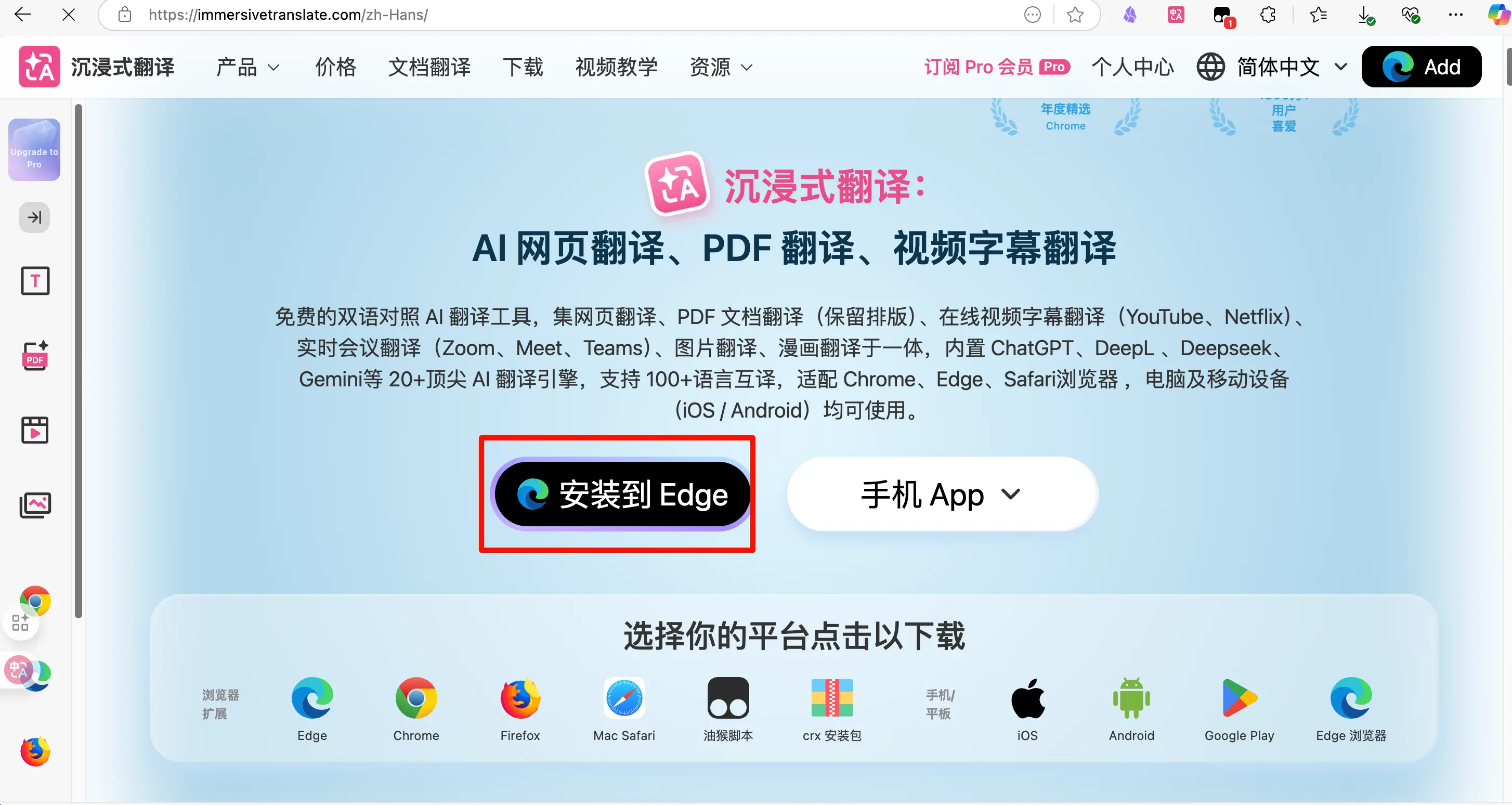
- Click “Install Now”
- You’ll be redirected to the corresponding app store
- Chrome/Edge: Chrome Web Store
- Firefox: Firefox Add-ons
- Safari: App Store
- Click “Add to Browser” or “Install”
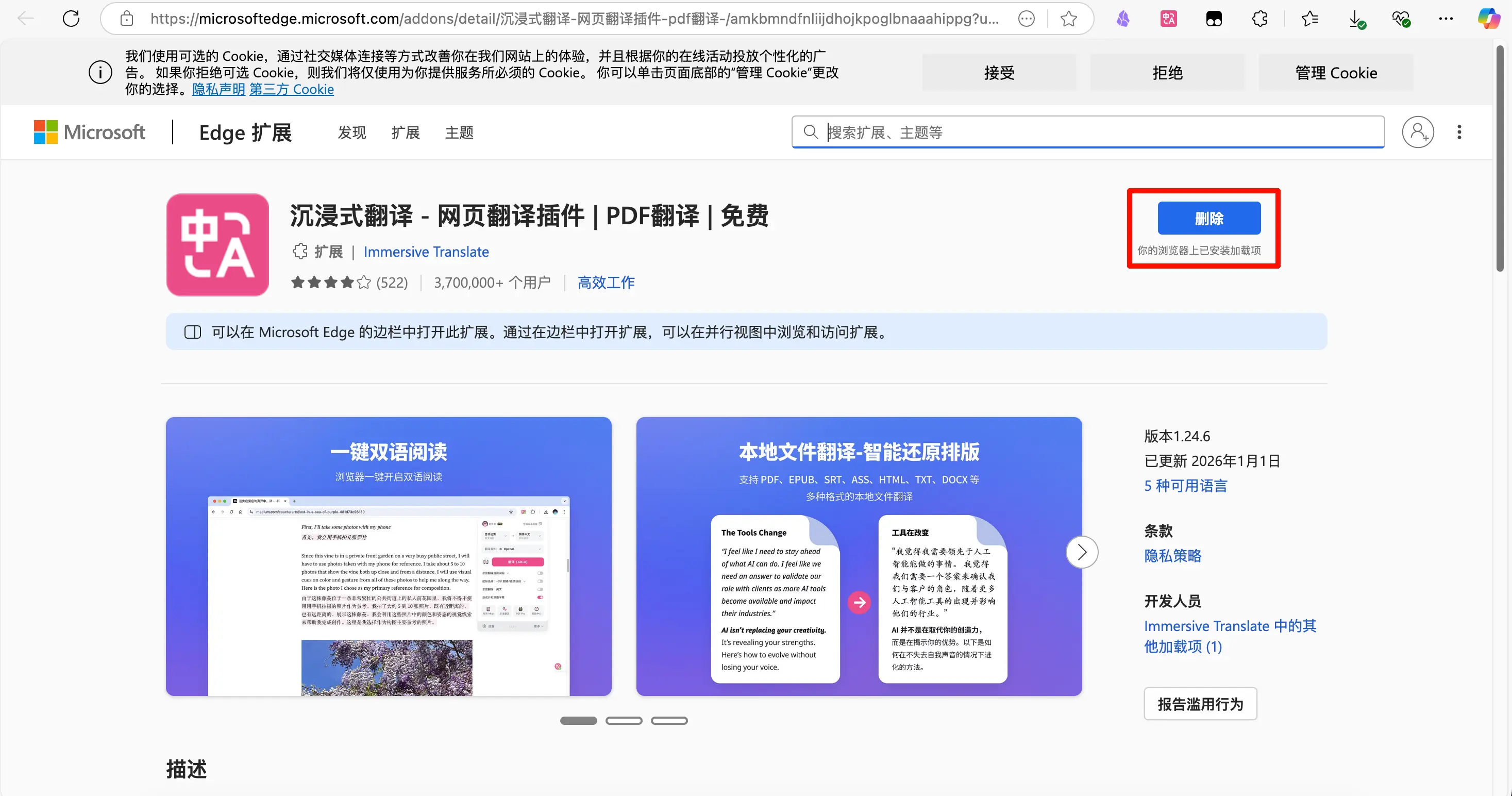
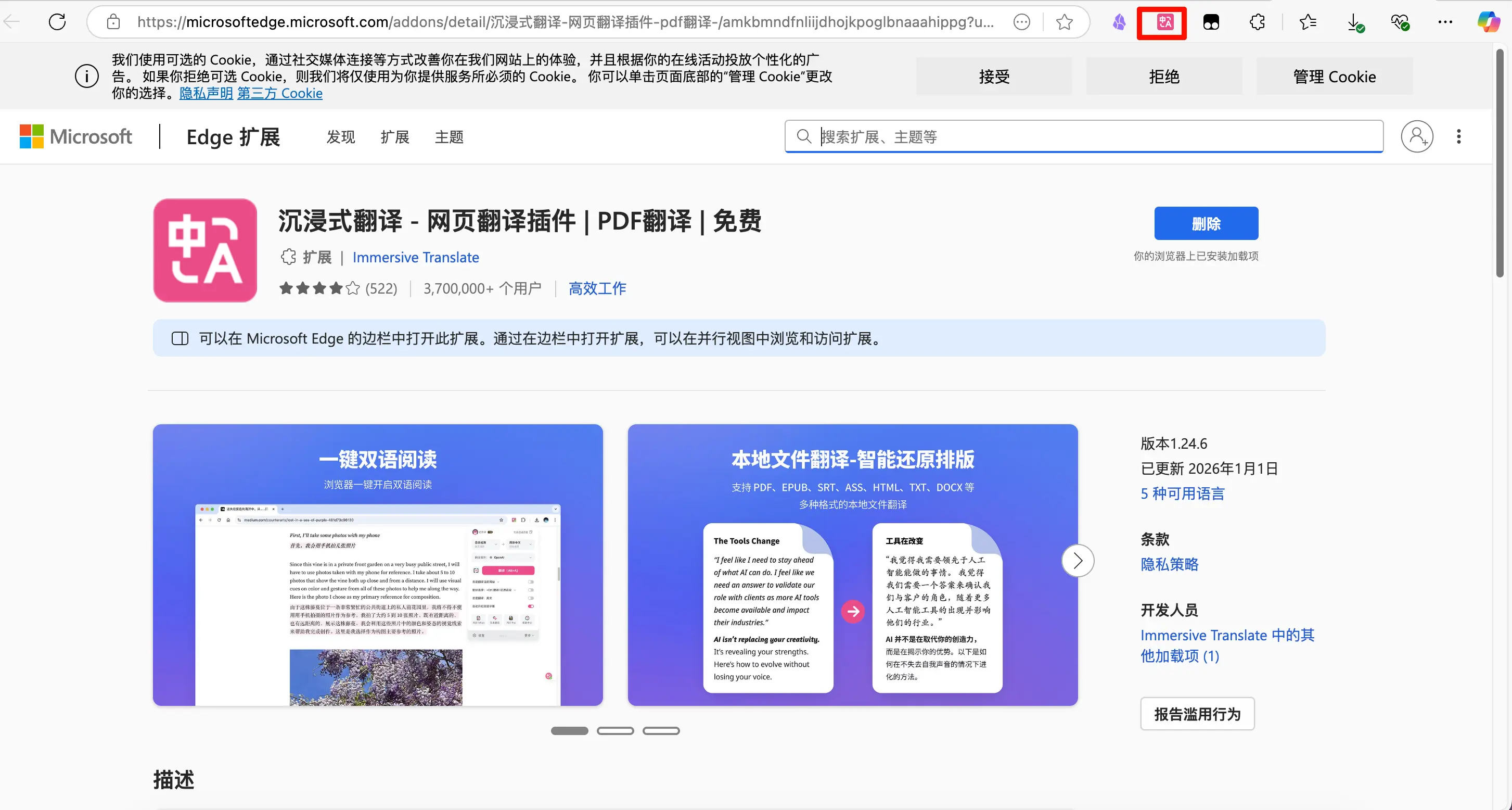
- After installation, the plugin icon will appear in the top-right corner of your browser
How to set up the API?
Steps:
-
Open the settings page
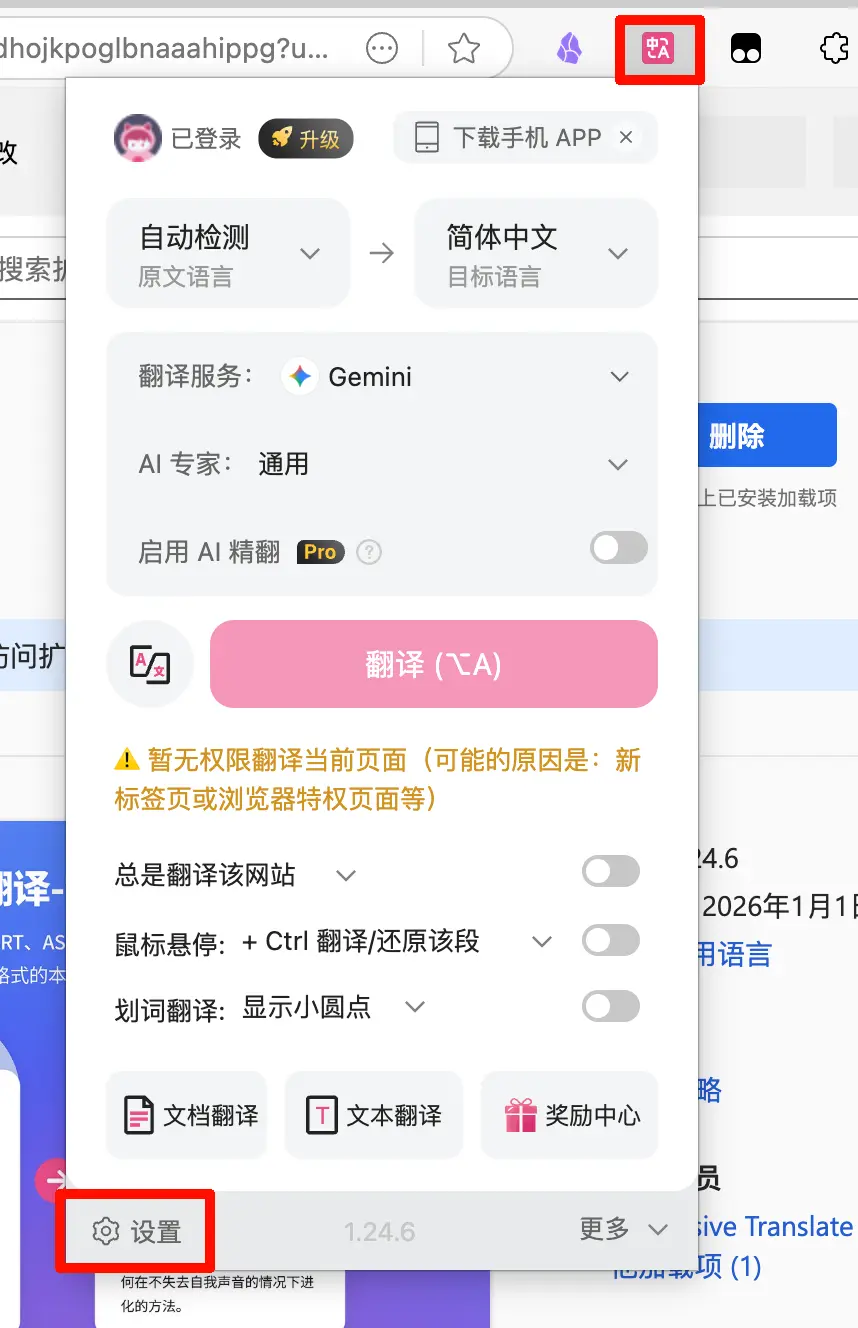
- Click the Immersive Translate icon in the top-right corner of your browser
- Select “Settings”
-
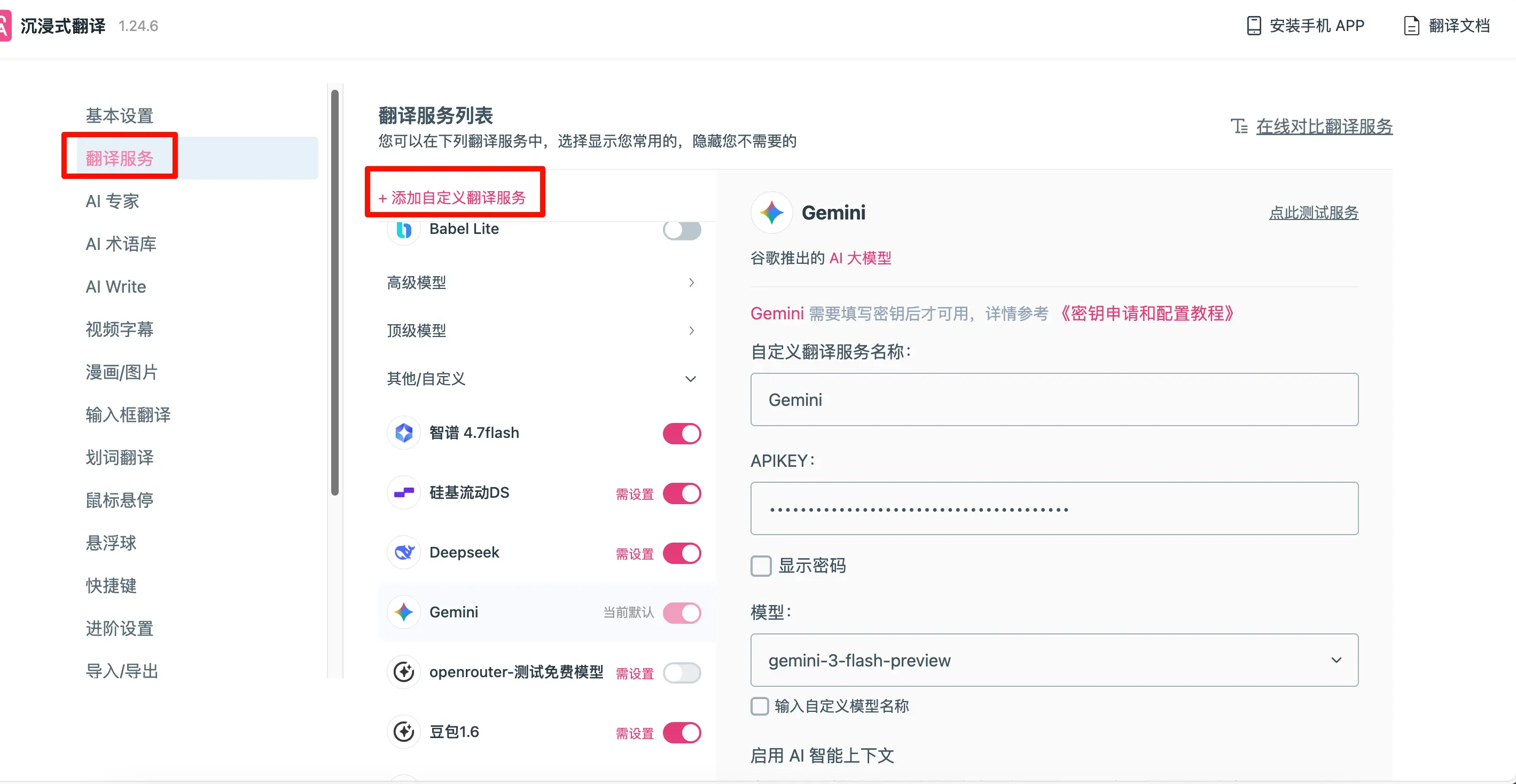
Find the translation service settings
- On the settings page, find “Translation Services”
- You’ll see many translation options: Google, DeepL, OpenAI, etc.
-
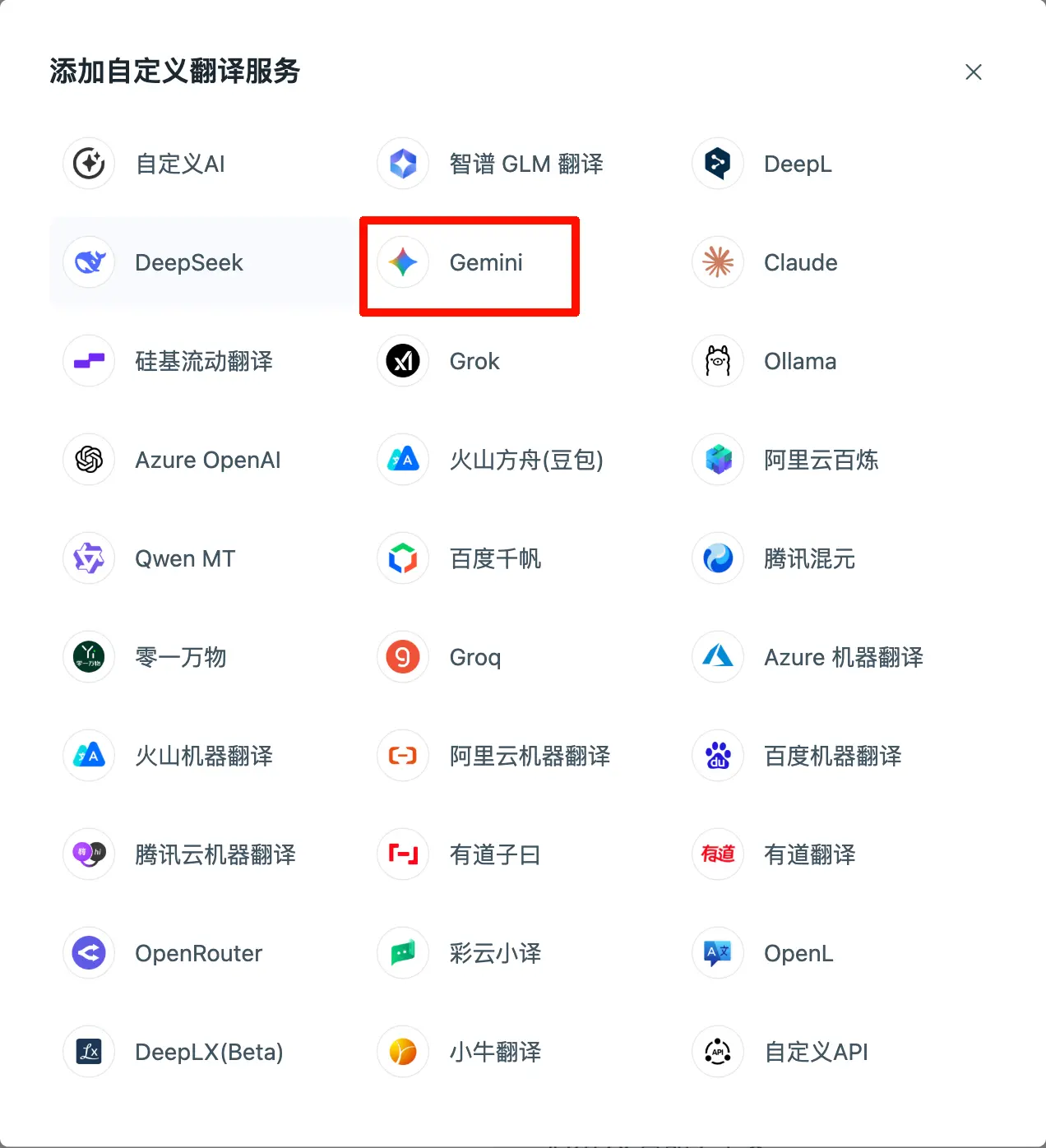
Choose an AI translation service
Using Gemini as an example (remember the API we got from AI Studio earlier?):
- Find the “Gemini” or “Google AI” option
- Enter the API Key you obtained from AI Studio
- Base URL:
[https://generativelanguage.googleapis.com/v1beta](https://generativelanguage.googleapis.com/v1beta/models/{model}:generateContent?key={key}) - Model:
gemini-3-flash-preview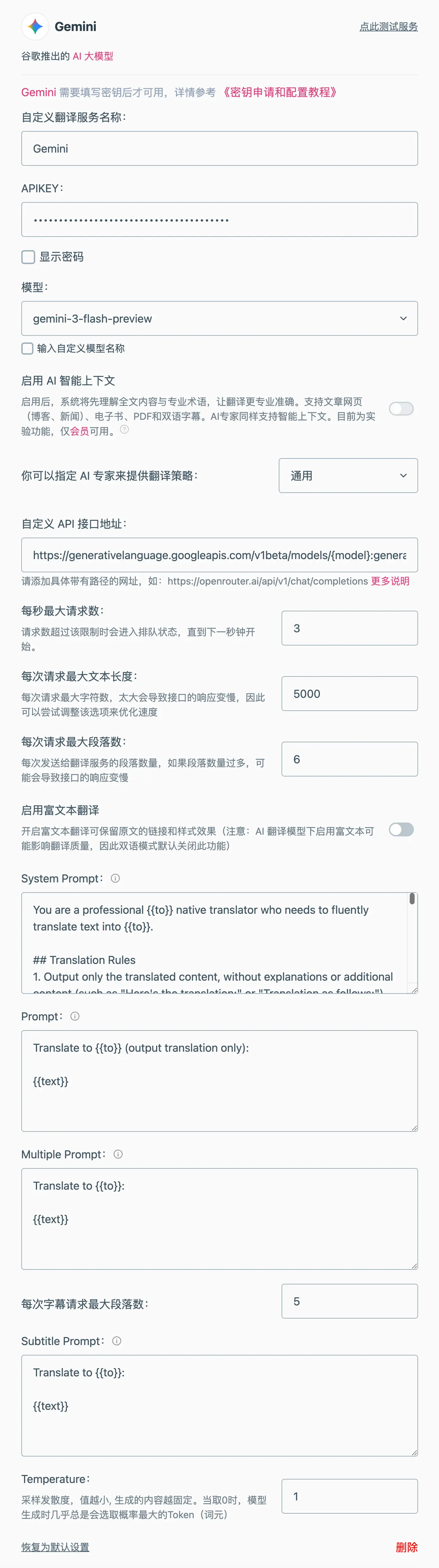
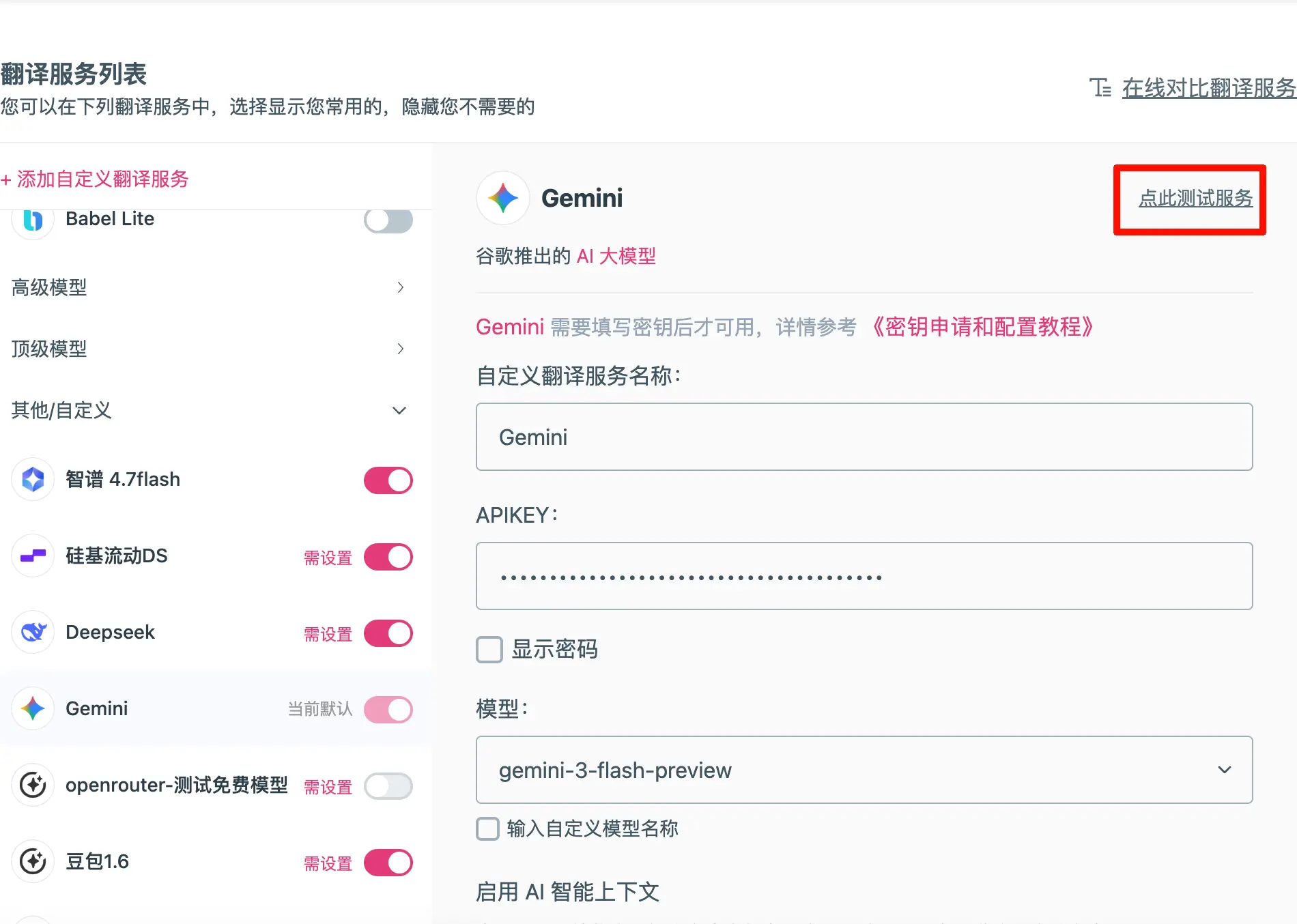
- Test and save
- Set as default translation service
- In “Primary Translation Service”, select the AI you just configured
- This way, every translation will use AI
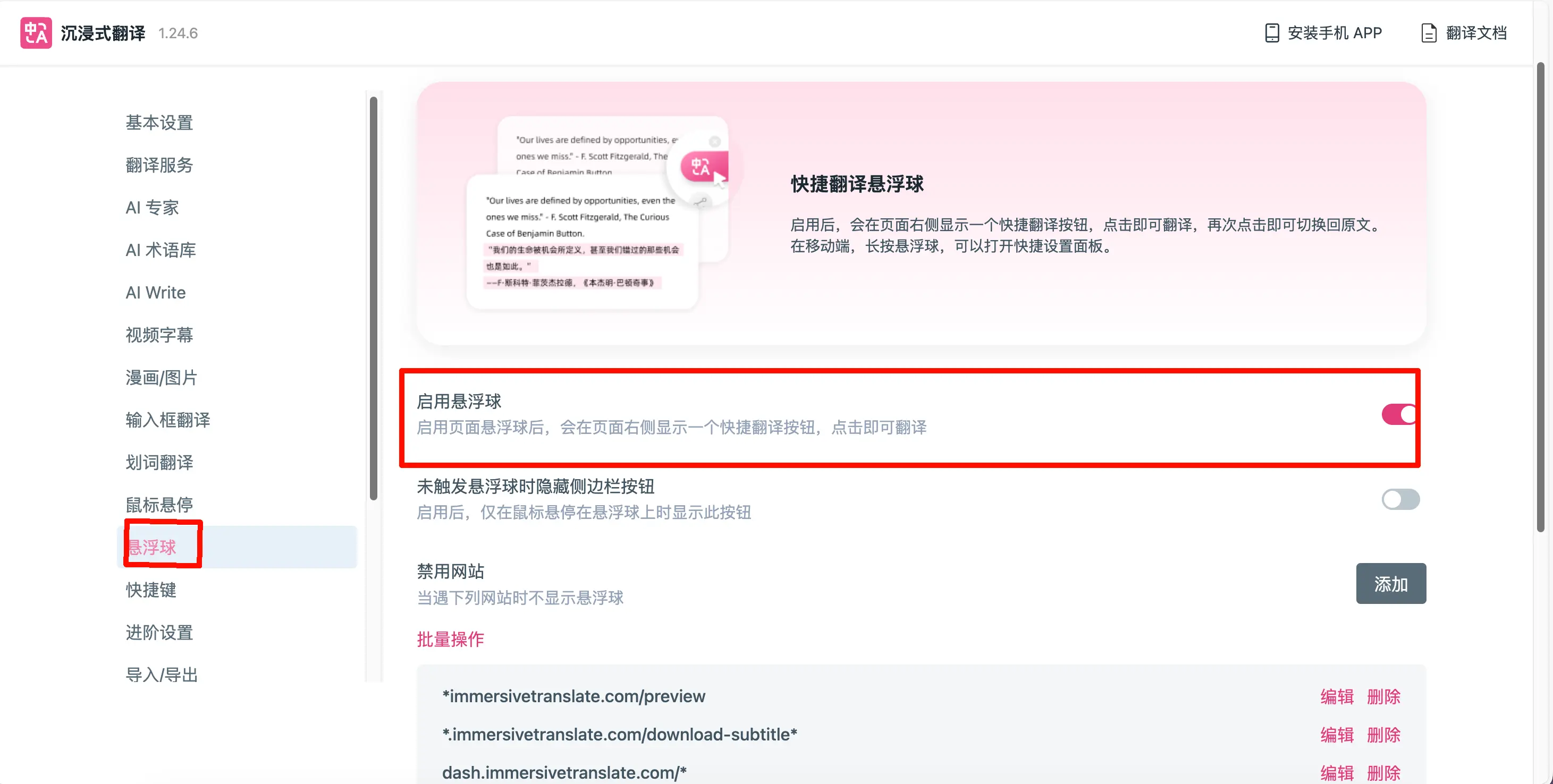
- It’s recommended to enable the floating ball
How to use it?
Using it is very simple:
-
Open any foreign language webpage
- For example, https://www.nytimes.com (The New York Times)
- For example, https://www.bbc.com (BBC News)
-
Start translation
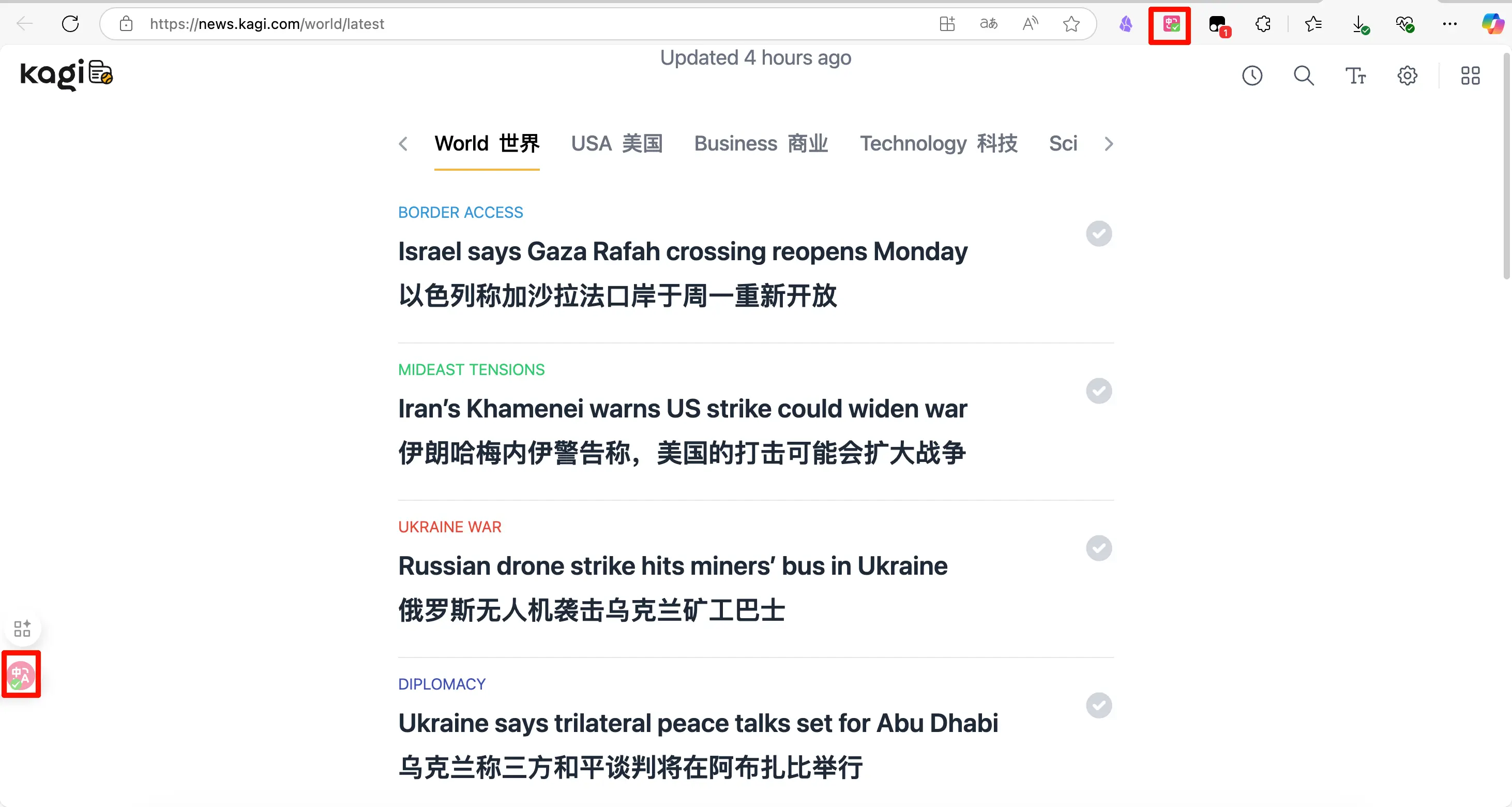
- Click the plugin icon in the top-right corner of your browser or the floating ball
- Or use the shortcut key (usually Ctrl+Shift+X)
- The page will immediately become bilingual
-
Customize translation style
- Bilingual display (recommended): original and translation side by side
- Translation only: see only the translated text
- Hover translation: show translation when you hover over text
Advanced features:
- PDF translation: upload a PDF and translate the entire document
- Video subtitle translation: automatically translate subtitles on YouTube, Netflix, etc.
- Input box translation: type in Chinese in a web input box and have it automatically translated to English before sending
- Bilingual comparison: a great tool for learning foreign languages
Cost estimation
Using Gemini 3 Flash for translation:
- 1000 English words ≈ 1500 Tokens
- Translation into Chinese ≈ 2000 Tokens output
- Cost: (1500×0.08 + 2000×0.30) / 1,000,000 ≈ $0.0007 (about 0.5 cents)
In other words: Translating 1000 such articles would only cost you about 5 RMB (less than $1)!
Summary
Core idea:
- No need to write code yourself
- Use ready-made tools + your API Key
- Unlock the powerful capabilities of AI
The essence of these tools:
- They are “bridges” built by others
- Your API Key is the “pass”
- You just need to take your pass and cross the bridge