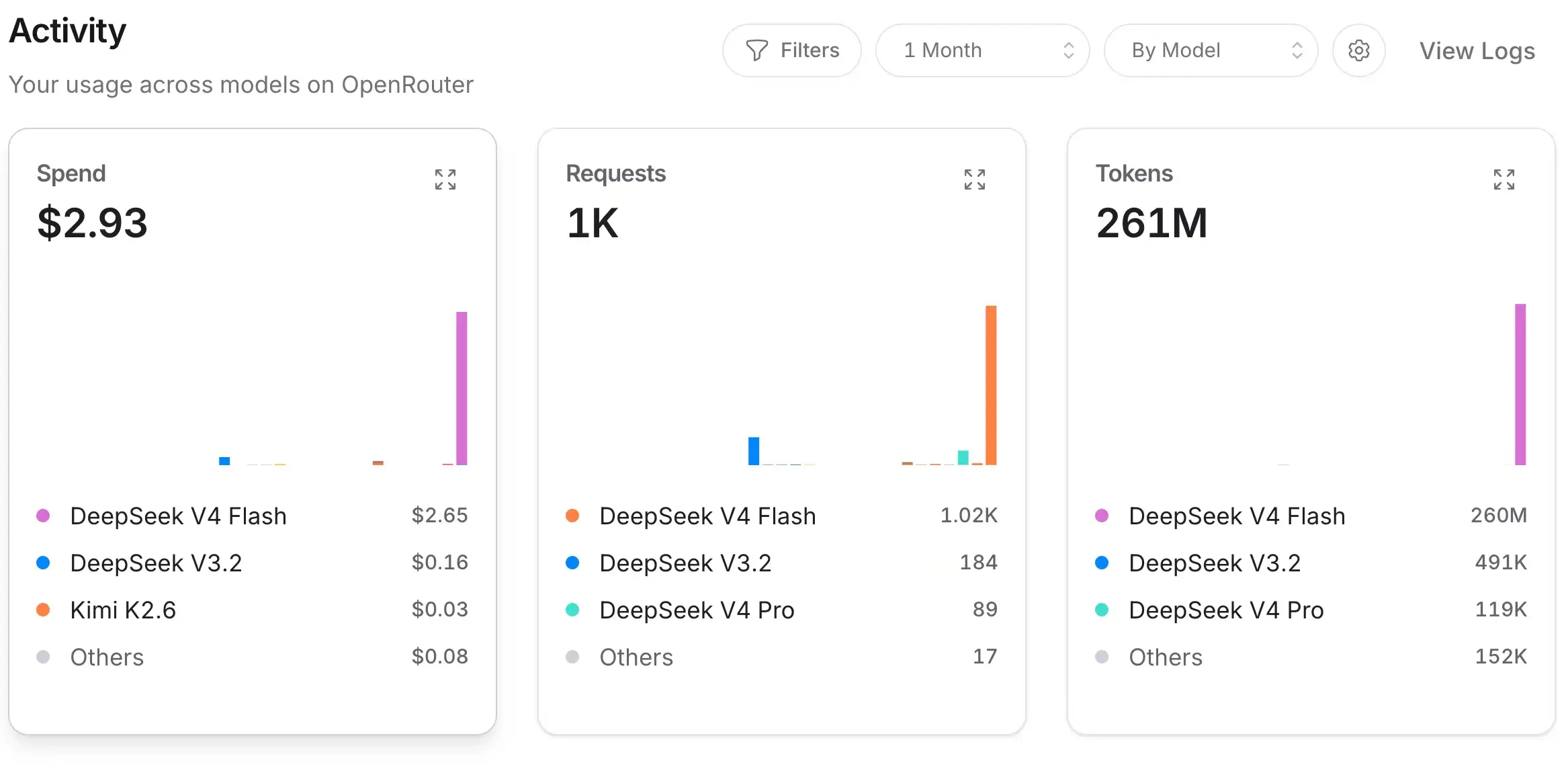
I’ve been calling DeepSeek the king of cost-effectiveness these days. Today I used it to play with Hermes (another Agent) and ran 260 million tokens, costing me less than $3—less than 20 yuan—practically free. And it’s very fast. Previously, using Codex often meant waiting a long time, so long I could work on other videos in the meantime. V4 Flash even gives me the feeling it’s flooding the screen, churning out results rapidly.
Of course, in terms of capability, Codex 5.5 is definitely stronger. But for this kind of Agent tool, V4 Flash’s capabilities are more than sufficient—fast, good, and cost-effective.
However, during use I discovered a problem: I’m a bit particular about this. On one hand, I want it to connect to my main device so it can leverage more capabilities; if you install it on a VPS, it can’t access your local photos or local Obsidian. On the other hand, if I install it on my own Mac, I don’t want to keep it running 24/7—even though Macs are designed for 7×24 operation.
Finally, on the recommendation of imzhichen (the creator behind the WeChat public account “Player’s Heart”) in the group, I discovered a free Agent that can follow you 24/7: Open Minis.
The beauty of it is that it runs on your iPhone—you always have your phone with you, it never shuts down, and it can access your photos, Obsidian, etc. It’s the perfect Agent container!
Even better, it’s free software; your only expense is the token cost for DeepSeek.
Installation and Setup
You can install it directly from the App Store.
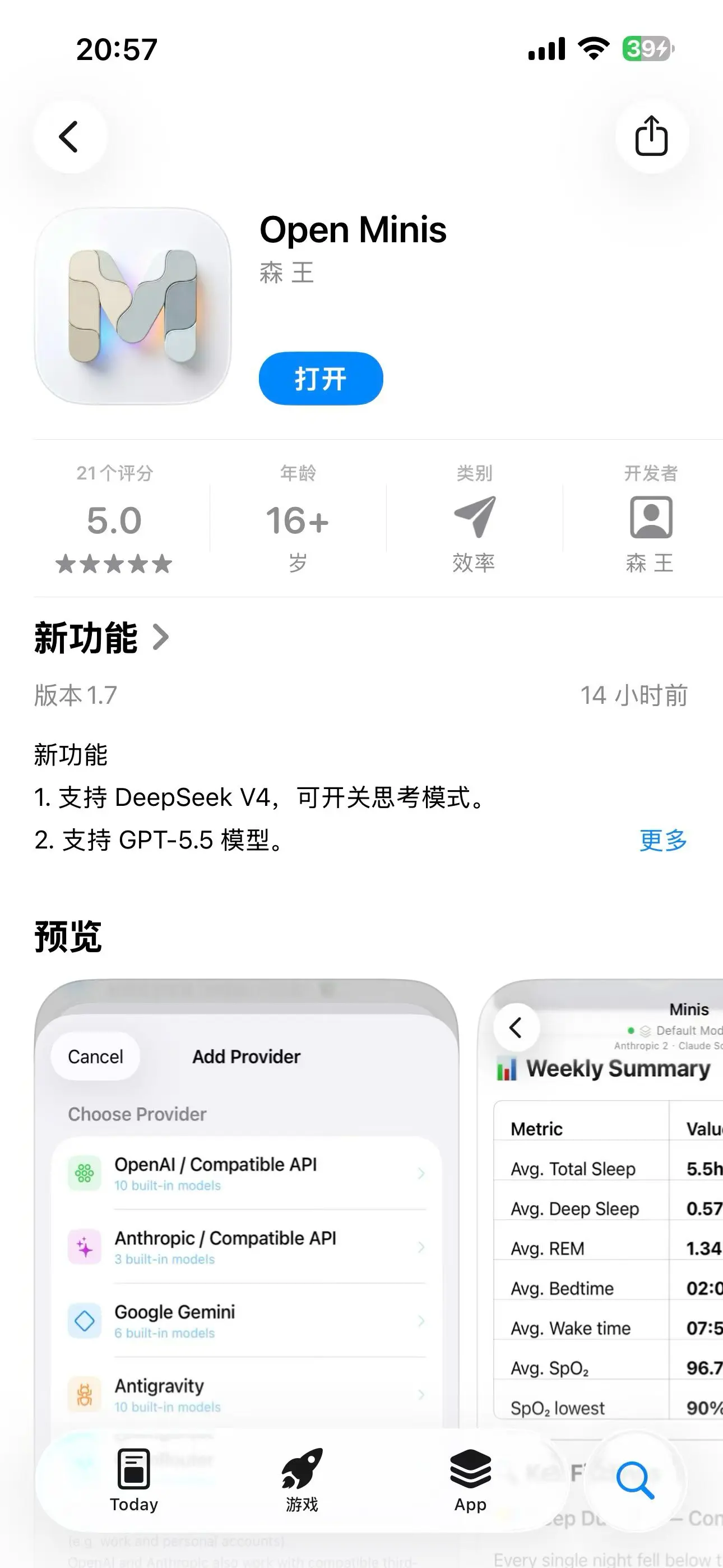
After downloading, open the app. It has a simple 1, 2, 3 step guide.
First, tap “Add a Provider”, then select the first option “OpenAI / Compatible API”, then tap “API Key” at the top. Change the label name to “DeepSeek”, enter your API key in the API Key field (if you’re unsure, refer to the guide on getting a DeepSeek API key). For the custom API address, select “https://api.deepseek.com”, and remember to turn off “Auto Append” below. Once everything is filled in, scroll to the bottom and tap “Add AI Provider”. That’s step one done.
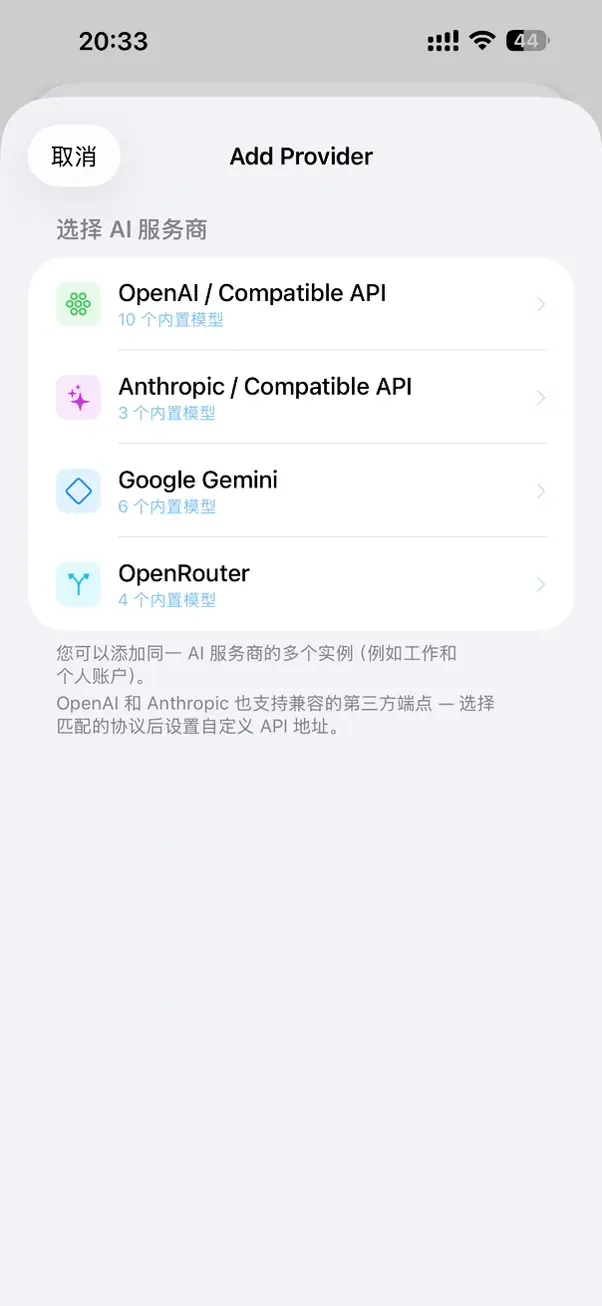
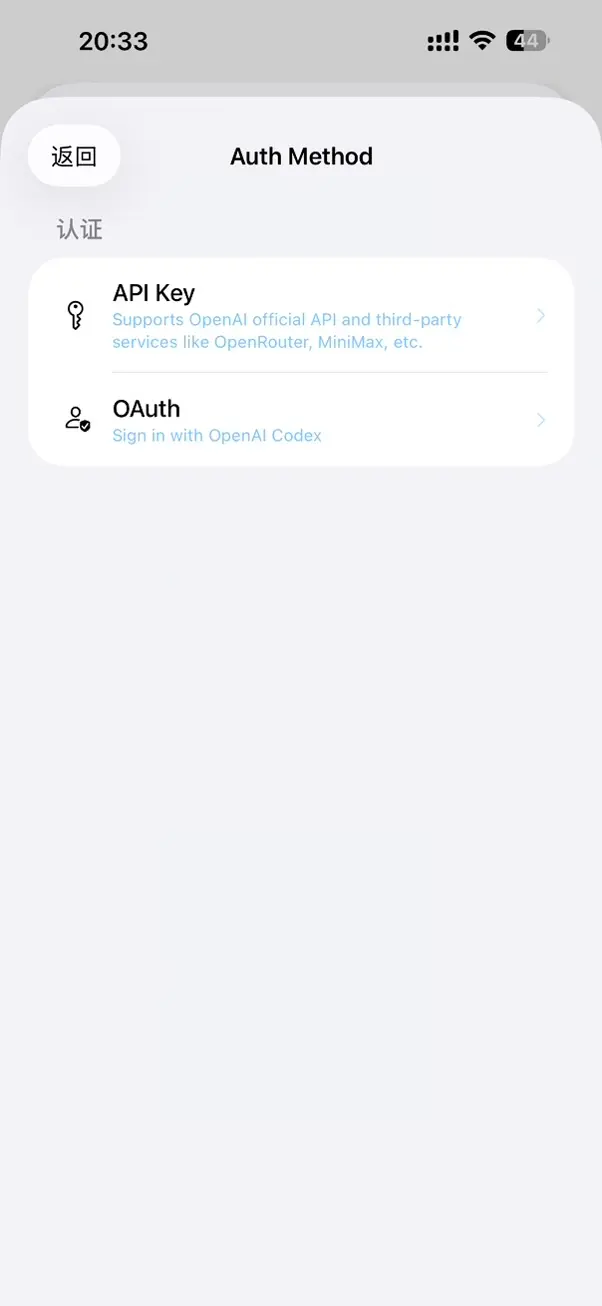
Second, tap “Select Models”, choose the first one, V4 Flash, then tap Next.
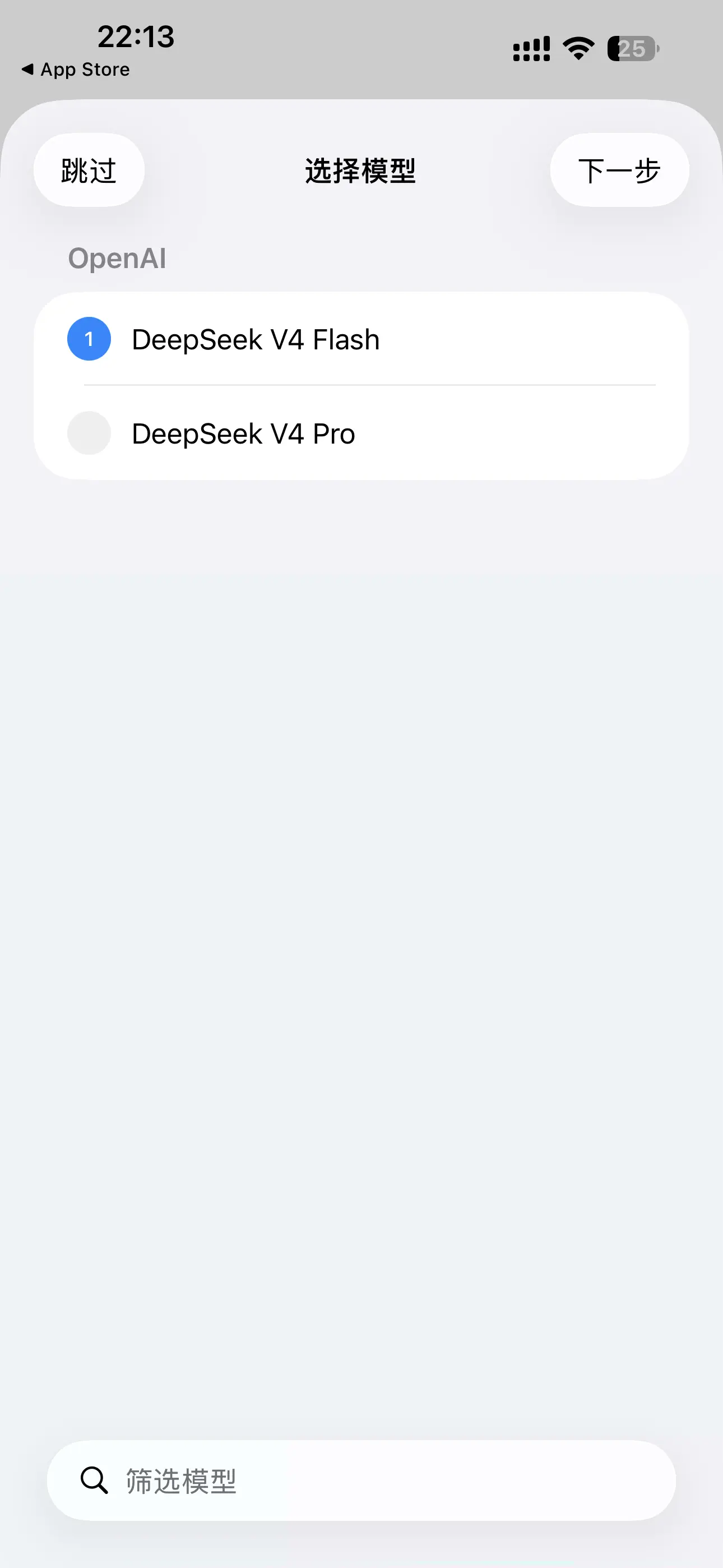
Third, you can tap “Start a Conversation” to begin chatting. You can ask it questions directly, for example, to see what capabilities it has. Below is the response I got when I asked it “What iPhone capabilities do you have?”
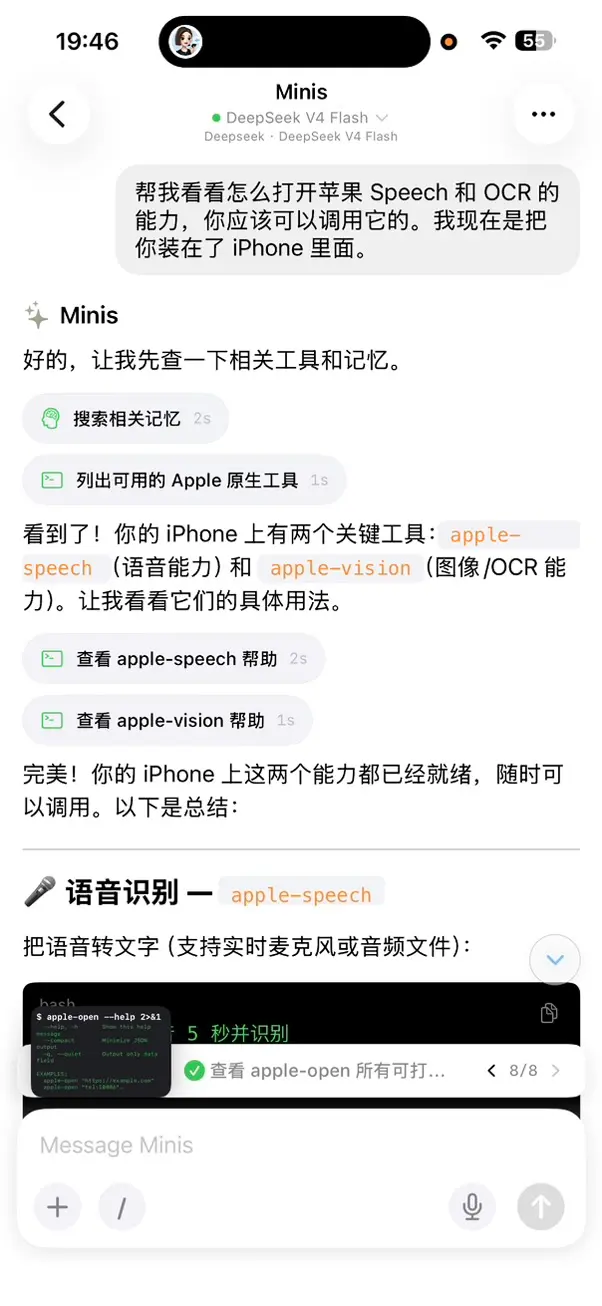
Here is a compiled list of Open Minis’ built-in iOS native capabilities:
| Category | Tool | Capability |
|---|---|---|
| Vision & Speech | apple-vision | OCR text recognition / QR code / barcode recognition |
| Vision & Speech | apple-speech | Speech-to-text (microphone recording / audio files) |
| Vision & Speech | apple-speak | Text-to-speech (TTS, multilingual support) |
| Apps & System | apple-open | Open URLs, apps, system settings pages |
| Apps & System | apple-device | Device info (model, system, battery, etc.) |
| Apps & System | apple-clipboard | Read/write clipboard |
| Apps & System | apple-notification | Send local notifications |
| Apps & System | apple-alarm | Set alarms and timers |
| Data & Health | apple-healthkit | Query and write health data (steps, heart rate, etc.) |
| Data & Health | apple-photos | Photo library management (import, export, search) |
| Data & Health | apple-calendar | Calendar and reminders (query, create) |
| Data & Health | apple-reminders | Reminders management |
| Data & Health | apple-media | Media library search and playback control |
| Data & Health | apple-player | Native audio/video player (play, pause, etc.) |
| Location, Maps & Weather | apple-location | Get current location, reverse/forward geocoding |
| Location, Maps & Weather | apple-maps | Search places, navigation routes, estimated arrival time |
| Location, Maps & Weather | apple-weather | Current weather, hourly/daily forecast, weather alerts |
| Connectivity & Hardware | apple-bluetooth | Bluetooth Low Energy (scan, connect, read/write) |
| Connectivity & Hardware | apple-nfc | NFC tag read/write, bank card reading |
| Connectivity & Hardware | apple-homekit | Control smart home devices (lights, AC, etc.) |
| Natural Language | apple-nlp | Language detection, tokenization, part-of-speech tagging, named entity recognition |
All of these are iOS native frameworks (Vision, Speech, NaturalLanguage, HealthKit, HomeKit, MapKit, WeatherKit, AVFoundation, etc.), running entirely locally without needing an internet connection.
Image Recognition
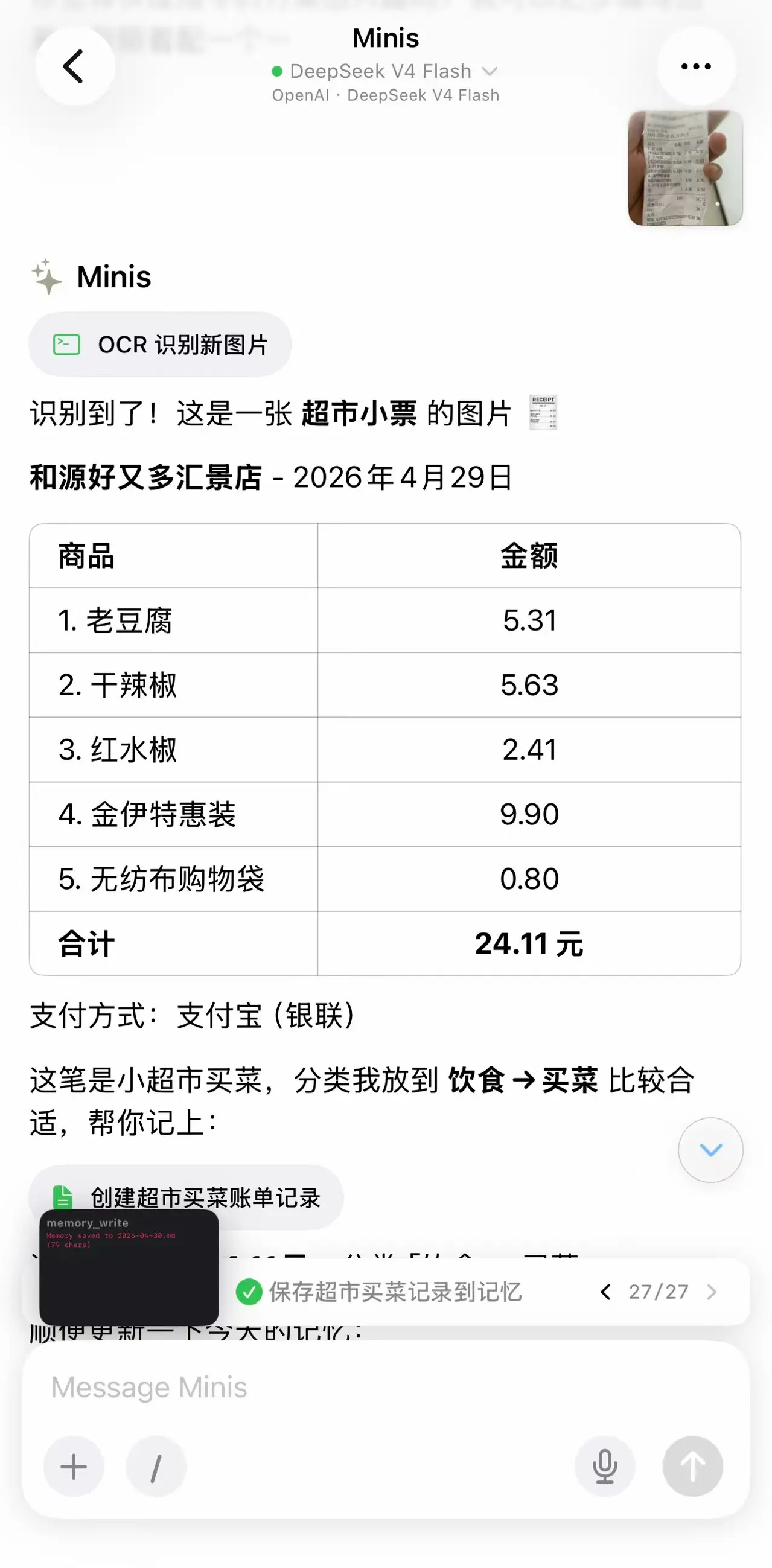
Open Minis can leverage the iPhone’s OCR capabilities, meaning it can recognize text in your images. So you can hand it your shopping receipts, have it extract the content, and then write it into your ledger.
Health Statistics
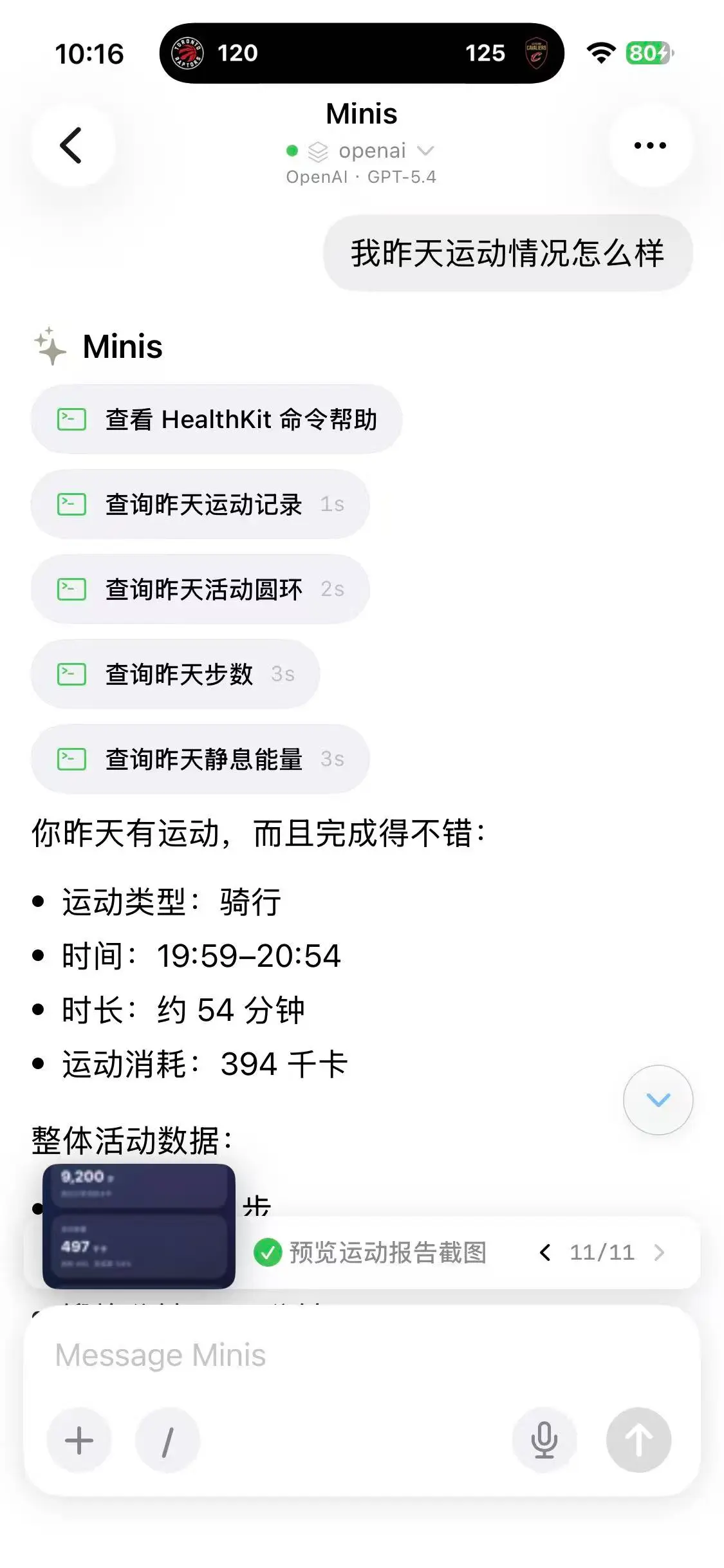
You can directly ask it about your daily exercise activity.
Directly Manipulate Obsidian
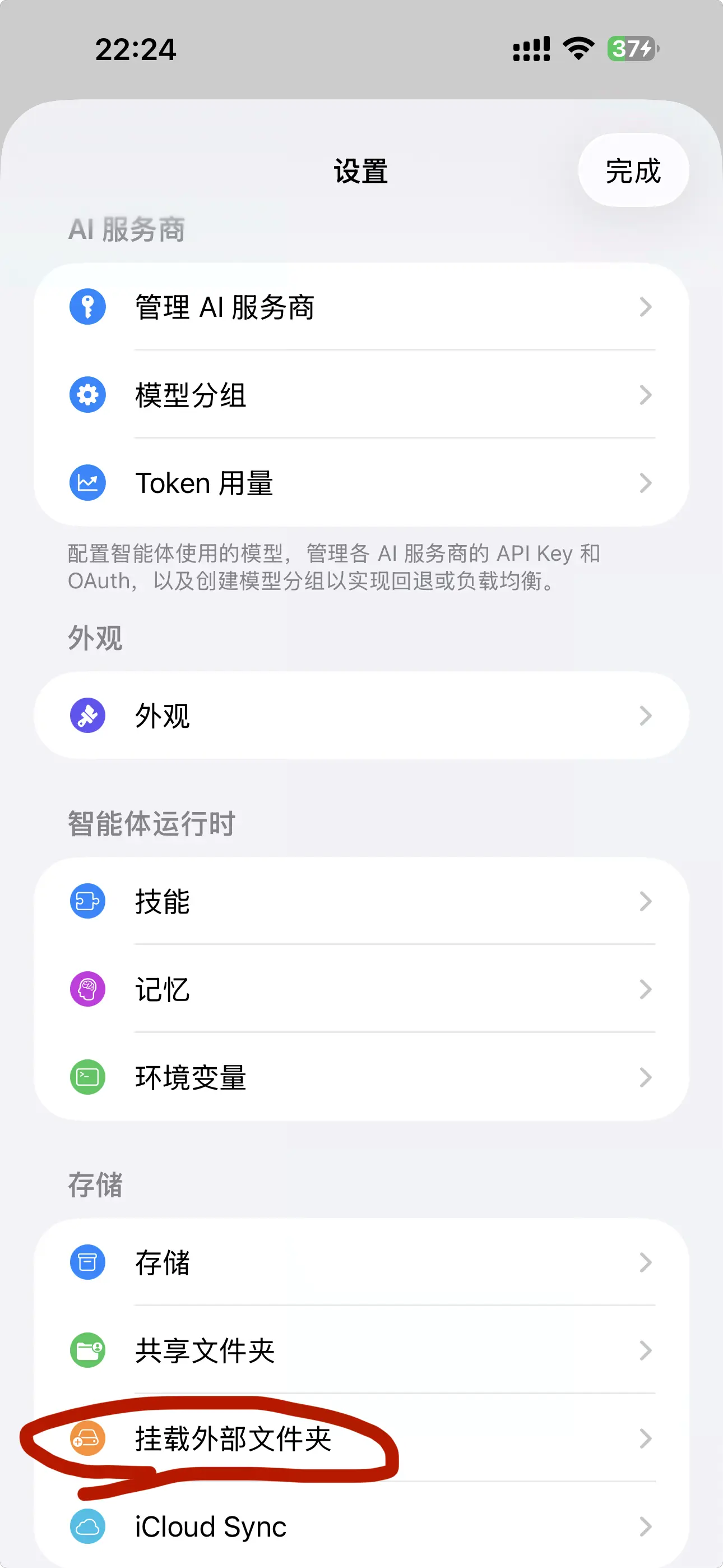
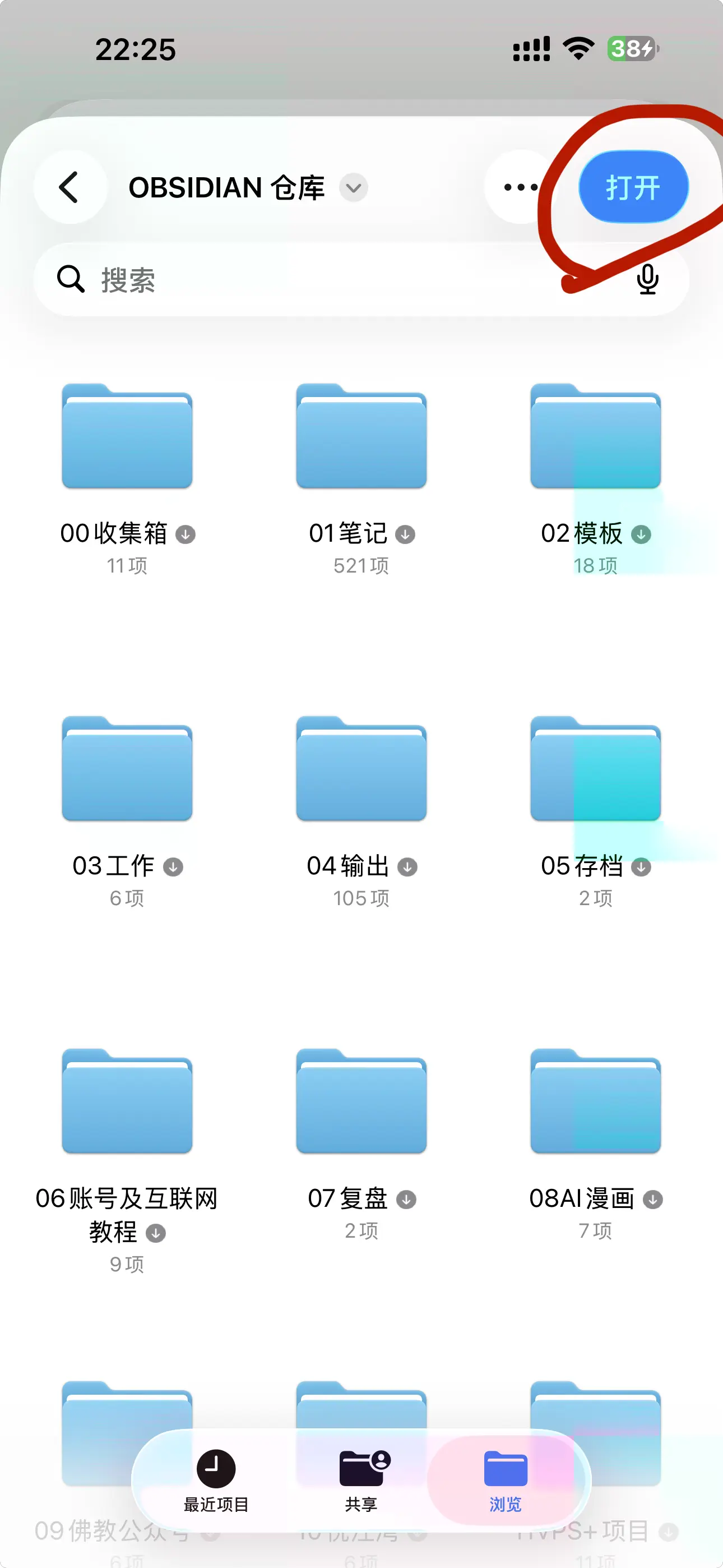
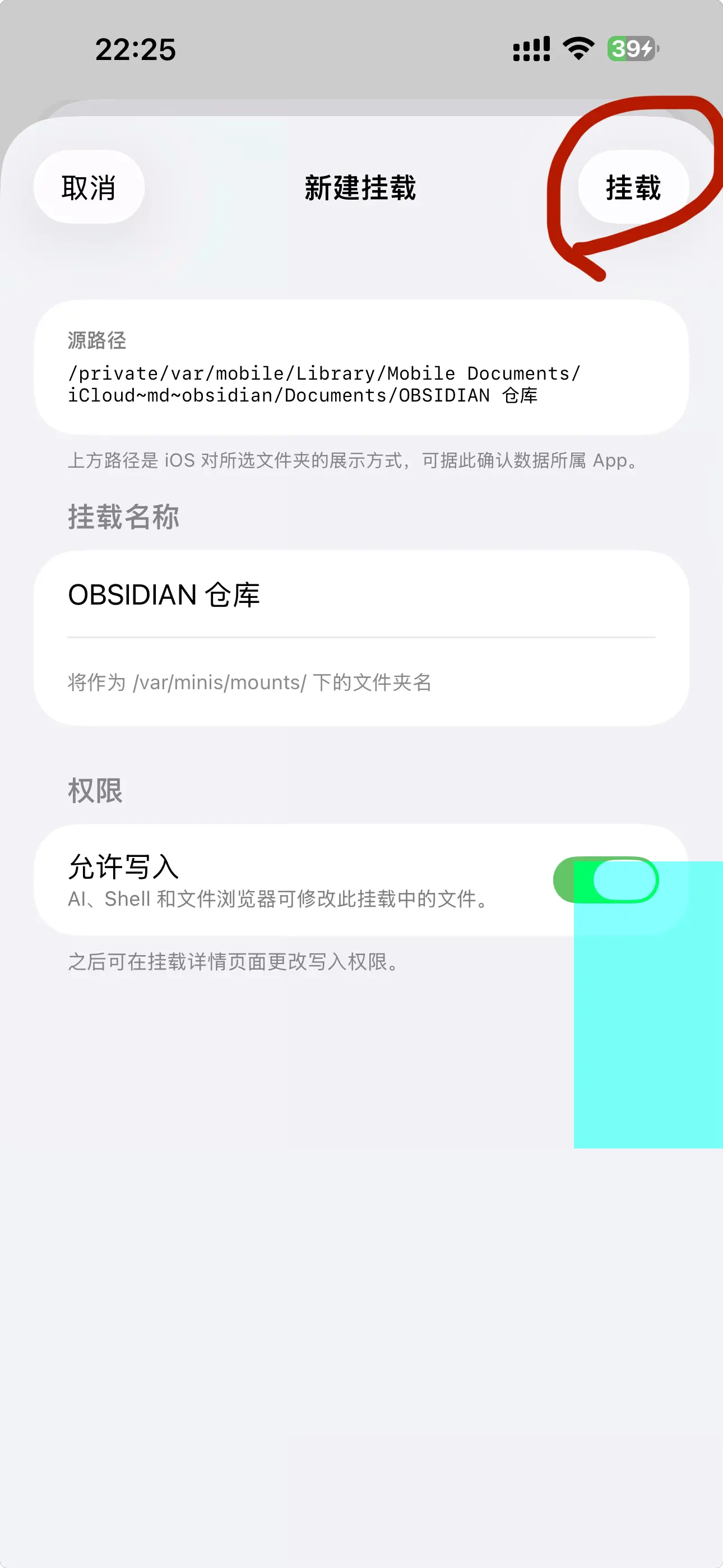
Remember I mentioned it can recognize images? After recognition, we can have it write directly into our Obsidian. But first we need to load our Obsidian, otherwise it won’t know where Obsidian is and won’t have permission. Specifically, you need to tap “Mount External Folder” in settings. See the images for the exact steps. After that, you can return to the conversation and have it process and manipulate your Obsidian folder.

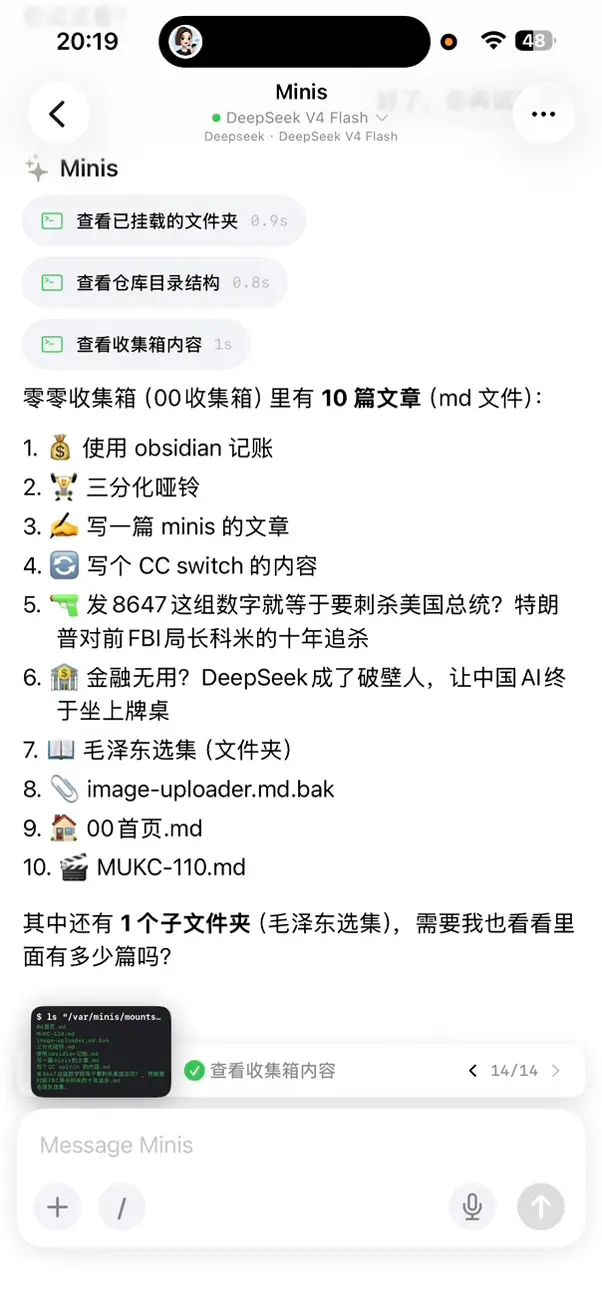
Putting Open Minis on your iPhone, paired with DeepSeek’s cheap API, means you have a 24/7 AI assistant for very little money—one that can recognize images, check health data, and directly manipulate Obsidian. For a beginner who doesn’t code, this combination is probably the lowest-barrier “personal Agent” solution available.