Obsidian is a tool worth considering for anyone serious about their knowledge.
Let me start with a bold claim:
If I could only use one note-taking app for the rest of my life, I would choose Obsidian.
What is Obsidian?
In a nutshell: Obsidian is a local-first Markdown note-taking app.
Let’s break that down into three key points:
- Local-first: Your notes are stored on your own computer as
.mdfiles. No internet required, no server dependency. - Markdown: Standard Markdown syntax works directly in Obsidian. Every note you write is a standard Markdown file.
- Note-taking app: But it’s more than just note-taking. You can build a knowledge base, write articles, manage projects, or even use it as a blog editor.
You can think of Obsidian as a powerful local editor designed specifically for Markdown.
Wait, why talk about note-taking apps?
Good question. Why spend time in a guide about Obsidian discussing “why choose a note-taking app”?
It matters a lot.
First, AI needs a local knowledge base.
Your conversations with ChatGPT, Claude, and others are stored on someone else’s servers. If the service shuts down, your account gets banned, or chat history is cleared—it’s gone. You need a local place to preserve valuable conversations and content.
Moreover, AI needs to be “fed.” The more organized material you give AI, the better the results. A well-organized local note library is the most powerful arsenal for your collaboration with AI.
Second, output is the most crucial part of knowledge accumulation.
Many people’s learning style is: read → bookmark → think they know it → actually remember nothing.
Reading without writing is equivalent to not learning. You need to write things down, reorganize them in your own words, for knowledge to truly become yours. That’s what Obsidian does—it helps you turn fragmented information into systematic knowledge.
I’m using Obsidian to manage all my material right now. The chapter you’re reading was written in Obsidian.
So a note-taking app is not the opposite of AI; it’s the infrastructure for your AI workflow.
Why Obsidian?
There are plenty of note-taking apps out there: Notion, Evernote, Feishu Docs, Yuque… Why specifically recommend Obsidian?
Many people use Notion, and it’s indeed good. But after comparison, I still chose Obsidian.
| Obsidian | Notion | |
|---|---|---|
| Data Storage | Local files, your own hard drive | Cloud, stored on Notion’s servers |
| File Format | Standard Markdown (.md files) | Proprietary format, exportable but lossy |
| Offline Use | Fully supported | Supported but mediocre experience |
| Speed | Very fast (local operations) | Depends on internet speed |
| Free Tier | Core features completely free | Free tier has limitations |
| Plugin Ecosystem | 2000+ community plugins | Mostly official integrations |
| AI Tool Integration | Local files, AI can read/write directly | Official paid service |
| Data Security | Data is in your hands | Data is in someone else’s hands |
The most critical point: data is in your own hands.
Notion’s notes are stored on its servers. If the service shuts down, policies change, or they suddenly start charging—your notes become hostages.
I’m also a heavy Notion user, but after putting a 130,000-word novel into a page and ending up unable to open or export it, I realized that local is truly your own.
Of course, Notion has its unique strengths and can complement Obsidian. We’ll talk about that later.
Obsidian’s data is just a folder on your computer. Even if Obsidian the software goes out of business tomorrow, your notes remain—you can open them with any text editor.
Your knowledge base is one of your most important digital assets. Don’t leave it in someone else’s hands.
Five Core Advantages
1. Bidirectional Links: “Hyperlinks” Between Notes
This is Obsidian’s most famous feature.
Ordinary note-taking apps just record notes without connections between them. But real knowledge isn’t isolated—economics and psychology intersect, programming thinking can be applied to writing, an article you read yesterday might relate to an idea from last week.
Obsidian’s bidirectional links (backlinks) allow you to reference another note from any note. In reading mode, backlinks don’t show the [[]] brackets, only a change in font color, so you don’t have to worry about it looking ugly:
Today I learned about [[Feynman Technique]], the core idea is to test your understanding by teaching someone else.

Feynman Technique becomes a clickable link that takes you to that note. What’s even more powerful—in the “Feynman Technique” note, you can also see which notes have linked to it.
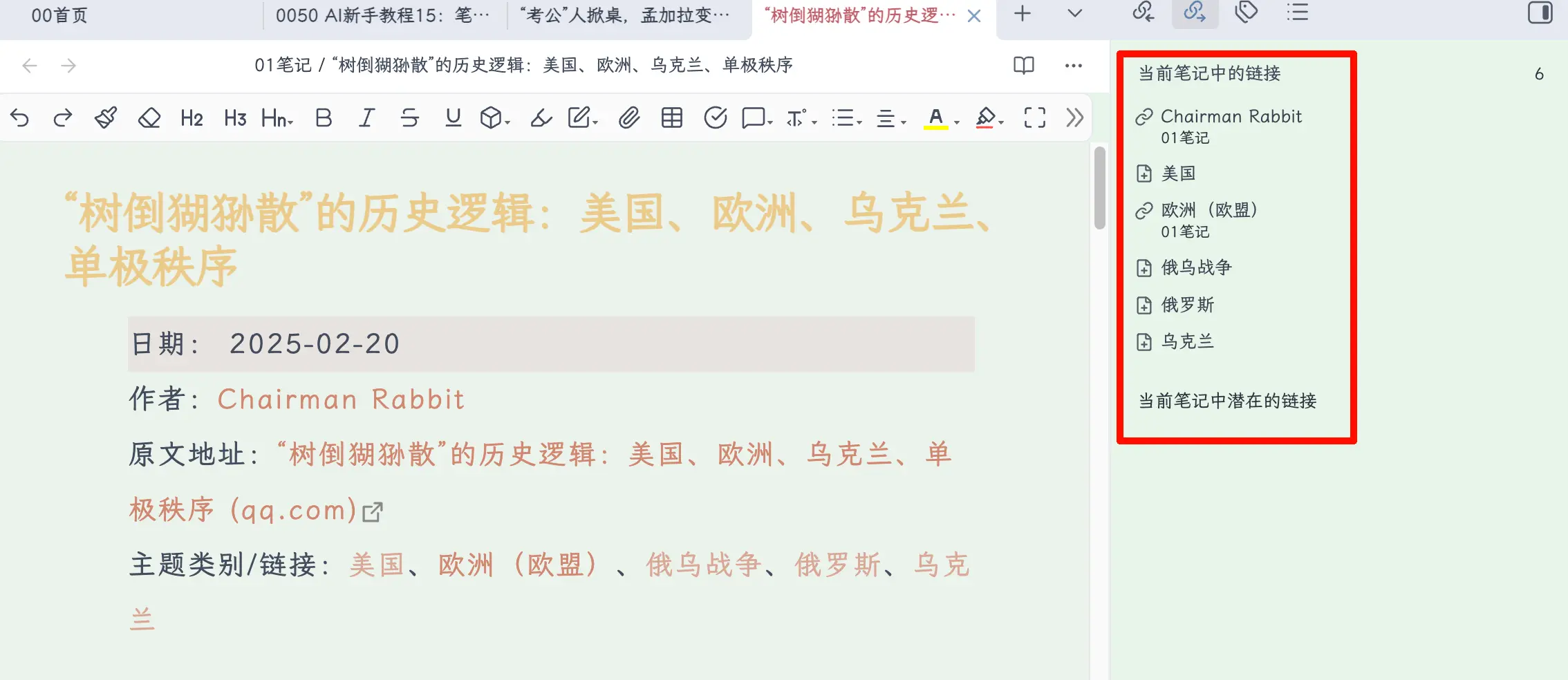 The value of backlinks: your notes are no longer isolated documents, but an interconnected knowledge network. The more you write, the denser the network becomes, and the more you discover connections you hadn’t noticed before.
You can even see the relationships between all your notes in the graph view, like a galaxy!
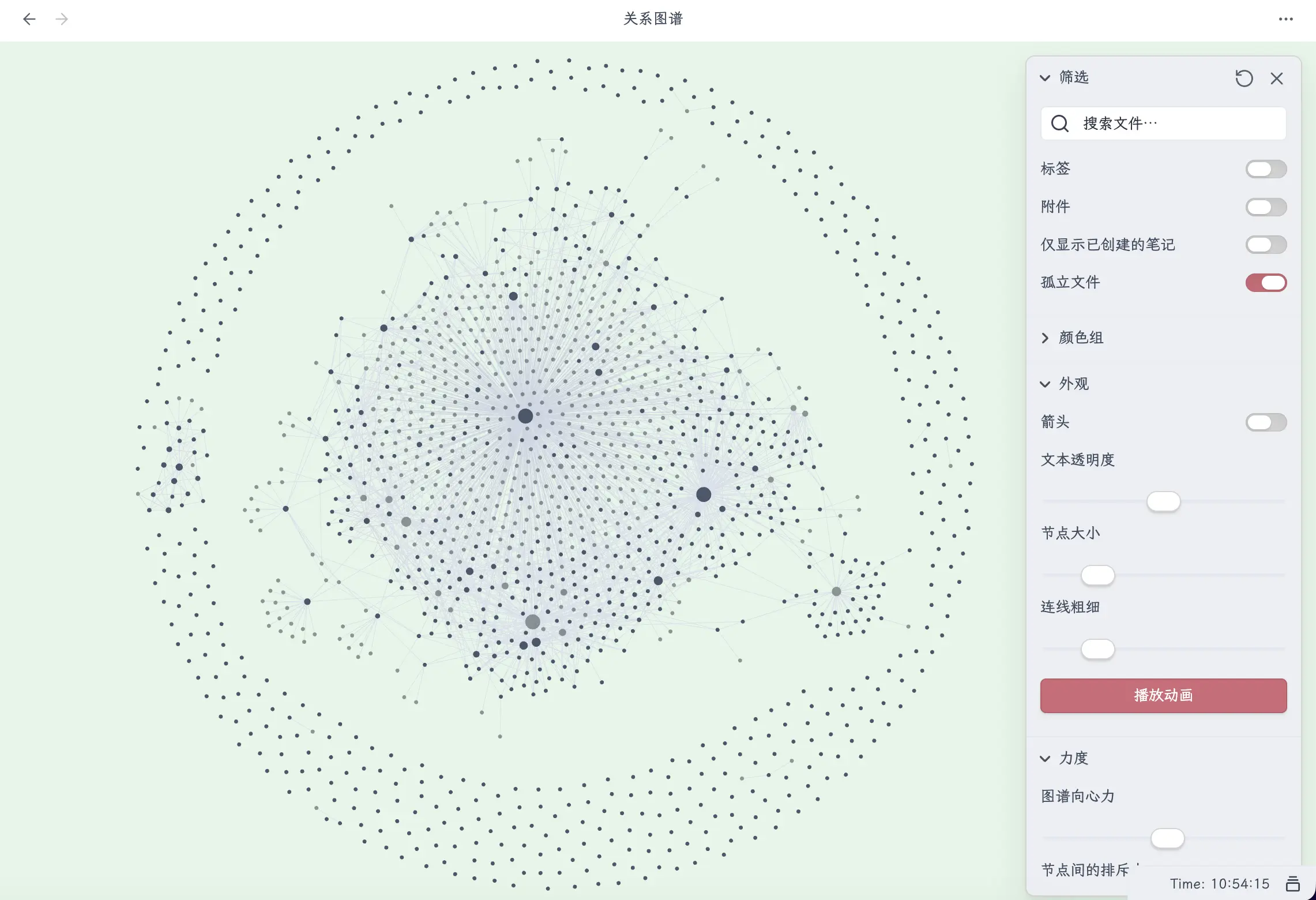
2. Local Storage: Data Always in Your Hands
As mentioned earlier, Obsidian notes are just .md files in a folder.
This means:
- Won’t get lost—you can back them up any way you like (iCloud, OneDrive, even a USB drive)
- No vendor lock-in—when switching apps, just move the folder
- AI can read and write directly—this is extremely important, more on this later
3. Plugin Ecosystem: Whatever Feature You Need
Obsidian has over 2,000 community plugins. Almost any need you can think of has been addressed:
- Calendar plugin: Manage daily notes and journals by date
- Kanban plugin: Turn notes into a task management board
- Database plugin: Give Obsidian database capabilities similar to Notion
- AI plugin: Call AI conversations directly within Obsidian
- Publish plugin: Sync notes to a blog with one click
You don’t need to install plugins from the start. First, write notes with the native features, then look for plugins when you have specific needs.
4. Cross-Platform Support: Seamless Switching Between Devices
Windows, macOS, Linux, iOS, Android—Obsidian supports them all.
And because notes are just regular folders, you can place them in an iCloud or OneDrive sync directory, and all devices will sync automatically and quickly. Notes written on your computer are immediately visible on your phone; inspiration captured on your phone during the commute is there when you open your computer at home.
No need to pay for the official sync service—just use your existing cloud drive.
5. Completely Free
Obsidian’s core features are completely free for personal use.
It has two paid services:
- Obsidian Sync (official cloud sync): $4/month—but you can completely replace it with free alternatives like iCloud or OneDrive
- Obsidian Publish (publish as a website): $8/month—but you can use free solutions like Hugo instead
Actual cost of use: $0.
Why Does Obsidian Work So Well with AI?
This is the core reason for recommending Obsidian in an Obsidian tutorial.
First, AI can directly operate on your notes.
Because Obsidian notes are local .md files, AI tools (like Claude Code) can directly read and edit these files. You can have AI help you organize notes, generate summaries, batch modify formatting, and extract key information from notes.
Notion isn’t completely incapable—it can handle this through the MCP protocol or official Notion AI, but MCP has a high configuration threshold and isn’t very convenient; the official AI requires an additional fee. With Obsidian’s local files, AI can use them directly with zero barrier.
Second, your note library is AI’s material library.
The reading notes, article excerpts, and ideas you accumulate daily can all be fed to AI as context. The more notes you accumulate and the better organized they are, the more accurate AI’s results will be.
For example, the writing process of this guide involved me giving AI the material I had accumulated in Obsidian, and we completed it together. Without a material library, relying solely on AI to write from scratch would result in much lower quality.
Third, Markdown lossless integration.
AI’s input and output are both Markdown. Obsidian is natively Markdown. This means:
- Content output by AI, when pasted directly into Obsidian, becomes formatted notes
- Notes in Obsidian, when given directly to AI, are perfectly understood
- No format conversion hassles like with Word—zero loss
How to Download?
Official website: obsidian.md
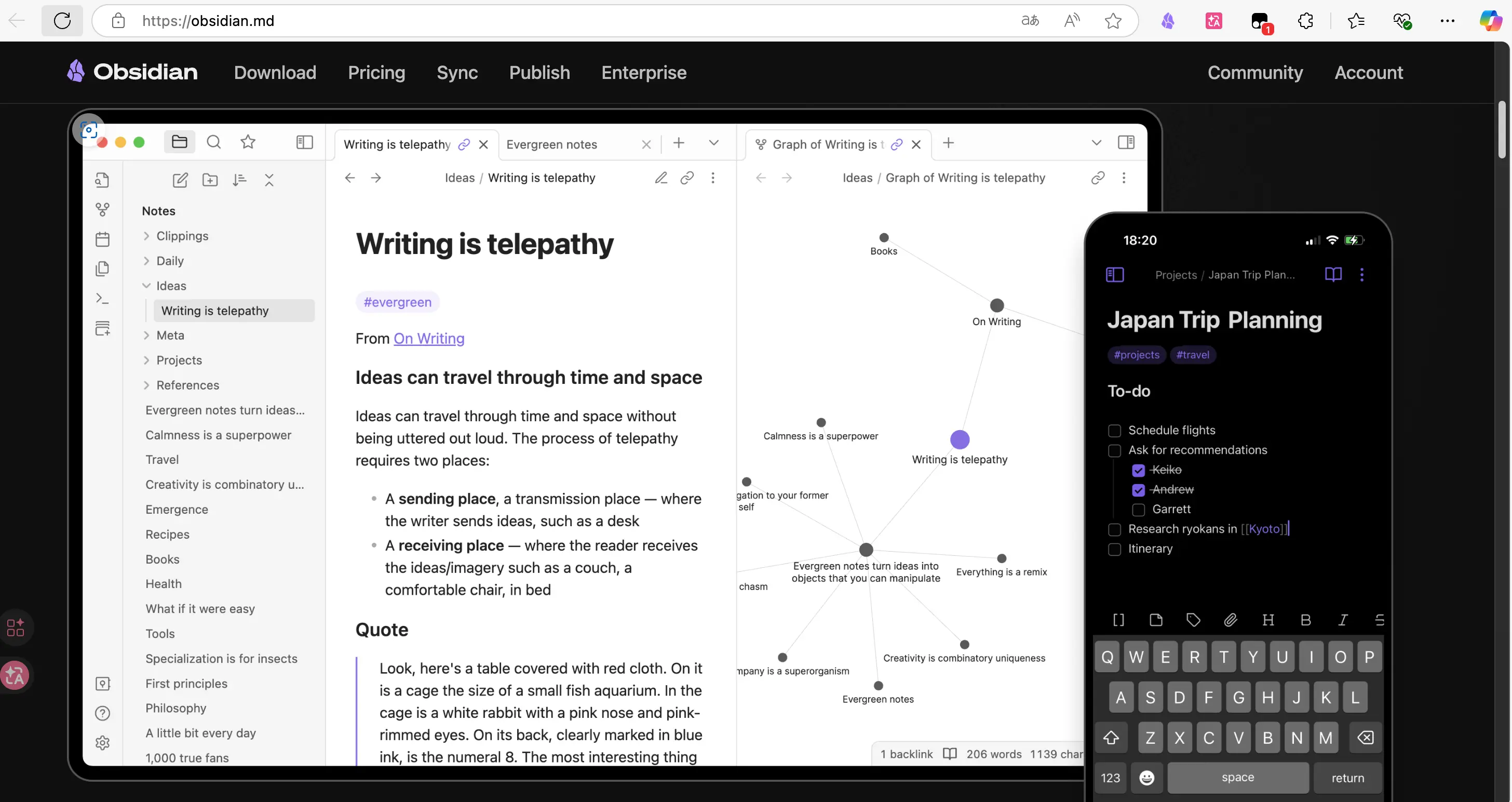 Supports all major platforms: Windows, macOS, Linux, iOS, Android. Open the official website, click “Download”, select your system, and install it just like any other software.
We’ll cover setup and getting started in detail in the next chapter.
Summary
What you learned today:
- What Obsidian is: A local-first Markdown note-taking app, data stored on your own computer
- Why an Obsidian guide talks about AI: AI needs a local material library, output is key to knowledge accumulation
- Why choose Obsidian: Data in your hands, AI can operate directly, completely free
- Five core advantages: Backlinks, local storage, plugin ecosystem, cross-platform, free
- Why it works well with AI: Local files AI can read/write directly, note library = material library, Markdown lossless
- How to download: obsidian.md, choose your platform and install
Key takeaways:
- If you can only choose one note-taking app, choose Obsidian
- Data in your own hands is the most important principle
- Obsidian + AI = your personal knowledge engine